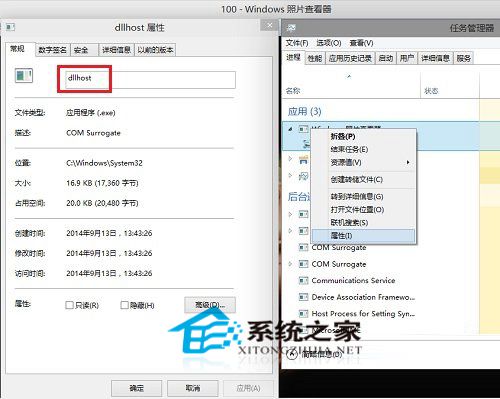
Windows 10 照片檢視器以動態連結庫 (DLL) 形式運行於 dllhost.exe (COM Surrogate) 進程中:
dllhost.exe
C:\Windows\System32\dllhost.exe
工作管理員中「照片」進程以中文顯示 (而非英文進程名),此為 DLL 託管特徵。Win8 之前照片檢視器附屬於 explorer.exe,Win8 起改為獨立 Modern 應用但仍以 DLL 形式存在,Win10 延續此架構。
explorer.exe
Win10 右鍵選單新增「關閉 Windows 10」選項:VBS 腳本 + 登錄檔實現一鍵關機
Win10 Windows Update 手動檢查更新:設定→更新與安全性→Windows Update 一鍵下載安裝補丁
Win10 如何禁止 USB 隨身碟存取?群組原則「禁止安裝可移動裝置」一鍵封鎖
硬碟空間不足如何升級 Win10?360 升級助手「系統盤瘦身」釋放空間達標
Win10 寫字板另存為 TXT 格式方法(含多圖示意)
Win10 如何修改軟體預設安裝路徑?透過設定變更新應用程式儲存位置避免 C 槽爆滿
Win10 清空資源回收筒後救回檔案:登錄重建回收筒命名空間
Windows 10 技術預覽版使用期限:2015年4月15日到期,4月1日起推送升級通知