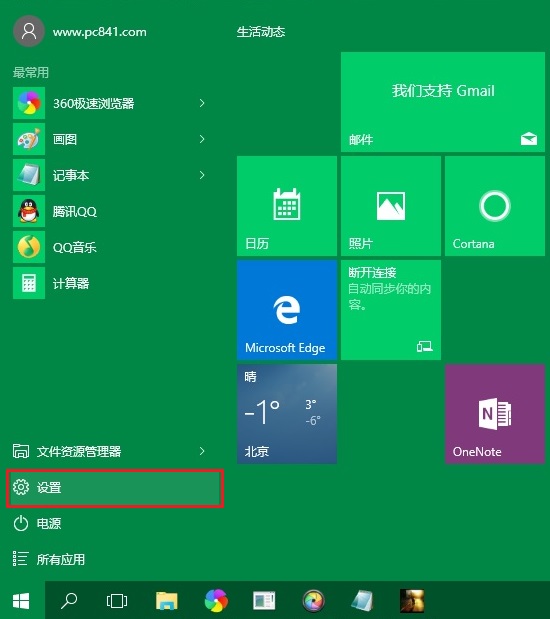
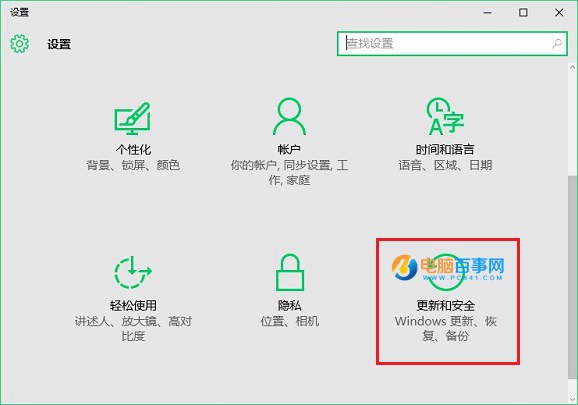
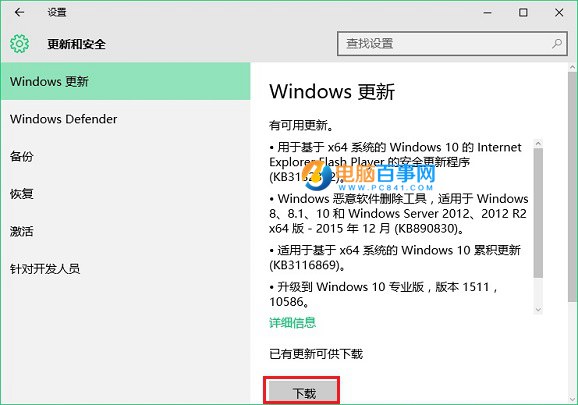
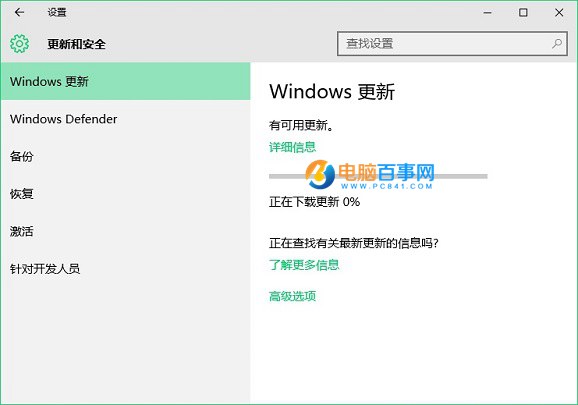
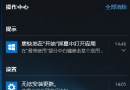
關閉自動更新或需立即安裝特定補丁(如 KB3133431 修復 Flash 崩潰),手動檢查更新步驟:
過程可能較久請耐心等待。重要安全性更新建議儘快手動安裝。
Win10 變更預設瀏覽器教學:設定 Chrome/Firefox 為預設
Win10 啟用「防止媒體共用」群組原則:禁止 Windows Media Player 分享媒體庫
Win10 遊戲中無法輸入中文?移除 Microsoft 拼音保留單一輸入法解決
Win10 交換滑鼠左右鍵:設定 → 裝置 → 滑鼠 → 選擇主要按鈕為「右」
微軟官方對比表:Win10 家用版/專業版/企業版/教育版差異詳解
Windows 10 啟用「防止媒體共享」群組原則設定教學
Win10 開機進入磚狀開始畫面?關閉「平板模式」回傳經典桌面
Win10 Build 10061 升級後無法激活?GVLK 密鑰手動激活專業版/企業版