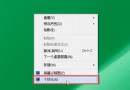
Windows 10 撥號出現錯誤 720「找不到 PPP 控制協定」,通常為 TCP/IP 協議堆疊損壞或網路介面卡驅動異常。
核心解法
- 重置 TCP/IP 協議堆疊 (系統管理員命令提示字元依序執行):
netsh winsock reset
netsh int ip reset
ipconfig /release
ipconfig /renew
ipconfig /flushdns
- 重新安裝網路介面卡驅動:裝置管理員→網路介面卡→右鍵網卡→解除安裝裝置 (勾選刪除驅動) → 重開機自動重裝。
- 移除特定更新補丁 (舊版方案,Win10 通常不適用):控制台→程式和功能→檢視已安裝更新→移除 KB893066、KB890923 (若存在)。
最簡單有效方案
重新開機電腦,重試撥號 2-3 次,90% 以上情況可自動恢復。 此錯誤常為暫時性協議協商失敗,重啟可重置網路堆疊狀態。
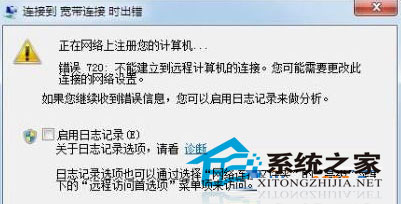
若持續發生
- 檢查 Modem/路由器狀態,重啟網路設備。
- 更新網卡驅動至廠商最新版。
- 聯繫 ISP 排除線路/端口故障。
- 考慮改用路由器撥號 (橋接模式),電腦僅負責 DHCP 取得 IP,繞過 PPPoE 客戶端問題。