前言
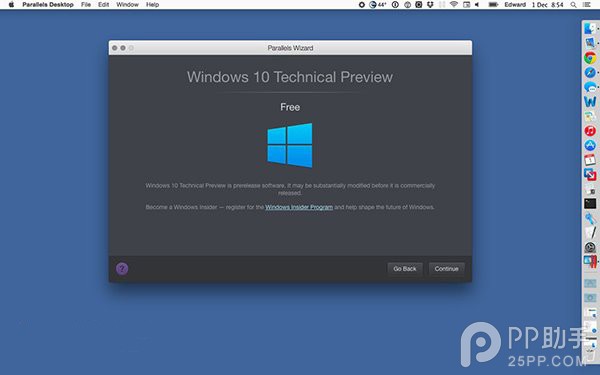
Parallels Desktop 釋出 10.1.4 更新,讓 Mac 使用者能在虛擬機器中安裝並運行 Windows 10 技術預覽版,體驗最新 Windows 功能而不需重開機或使用 Boot Camp。
更新資訊
- 版本: Parallels Desktop 10.1.4
- 支援系統: OS X Yosemite (10.10) 及更新版本
- 授權政策:
- Parallels 10 現有用戶:免費更新
- Parallels 8/9 用戶:需付費升級 (US$49.99)
- 新用戶:購買完整版 (US$79.99)
體驗重點
- 在 Mac 上無縫運行 Windows 10 預覽版應用程式。
- 支援 Coherence 模式:Windows 應用程式如同 Mac 原生應用般融入桌面。
- 可體驗 Windows 10 新功能:開始功能表回歸、Cortana (英文版)、虛擬桌面、新版命令提示字元等。
- 不佔用獨立磁碟分割,隨時可暫停、快照、刪除虛擬機器。
適用對象
需在 Mac 上測試 Windows 10 相容性的開發者、想提前體驗 Windows 10 新功能的 Mac 使用者、需同時運行 Mac 與 Windows 應用的跨平台工作者。
小結
Parallels Desktop 10.1.4 更新讓 Mac 使用者以虛擬化方式低門檻體驗 Windows 10,免去雙系統設置麻煩,是跨平台測試與體驗的最佳選擇之一。