操作步驟:
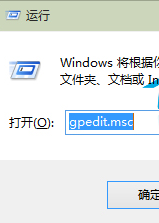
gpedit.msc
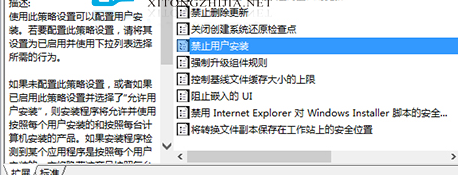
電腦設定 → 管理範本 → Windows 元件 → Windows Installer
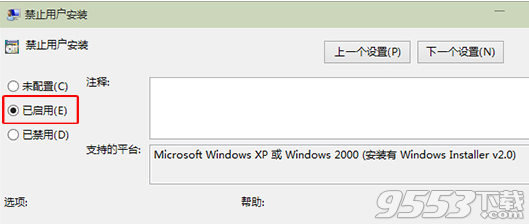
解除限制:設為「已停用」或「未設定」。
Win 10/8.1 開始功能表/工作列圖示錯誤 TrayItem.{} 解決方案
Win10 將回收站釘選至「快速存取」的巧妙方法
Win10 無法開機錯誤 0xc00000e9:系統檔案遺損修復全流程
安裝 Win10 前必知 9 大常識:金鑰、過期、配置、升級保留、虛擬機
Windows 10 設定螢幕保護程式教學 (含 3D 管道、相片、字幕等內建項目)
Win10 vs Win8.1 功能深度對比:為何 Win10 更值得升級
Windows 10 找回 Charms 邊欄:快捷鍵與 PopCharms 工具
Windows 10 技術預覽版新特性深度解析:開始菜單搜尋、Search App、分類搜尋結果、Bing 整合體驗