Win10 禁止使用者安裝 MSI 軟體,操作與 ID 24948 相同:
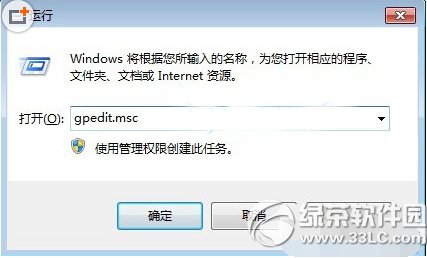
gpedit.msc
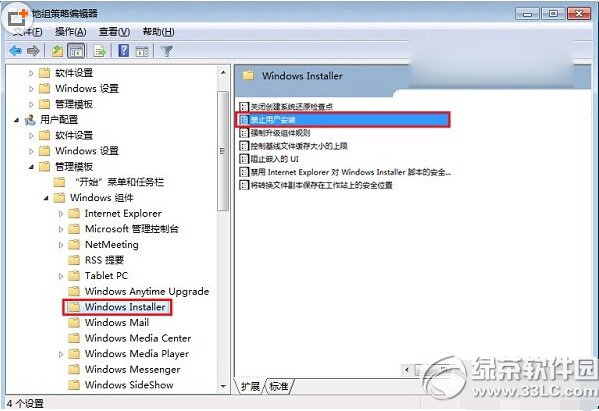
電腦設定 → 管理範本 → Windows 元件 → Windows Installer
regedit
HKEY_LOCAL_MACHINE\Software\Policies\Microsoft\Windows\Installer
DisableMSI
1
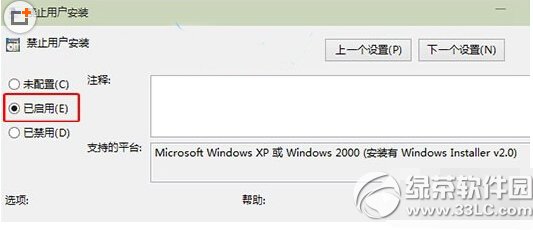
群組原則設「未設定」/「已停用」;登錄表刪除 DisableMSI 或設為 0。
0
Windows 10 工作列通知區域圖示固定顯示兩大法:拖曳法與設定法完整教學
Win10 內建 Windows Defender 病毒掃描:開始選單 → Windows 系統 → Windows Defender → 快速掃描
Win10 將 IE 設為預設瀏覽器兩種方法
Win10 ISO 鏡像文件如何打開?Daemon Tools Lite 掛載教程
Win10 快速取得檔案完整路徑:兩種高效方法
Win10 預覽版產品密鑰獲取官方流程:加入 Windows Insider 計劃自動授權
Windows 10 PotPlayer 無法執行 (This app can't run on your PC) 解決:重新安裝正式版取代綠色版
Win10 徹底關閉「快速存取」功能:登錄修改法