Windows XP Windows 7 Windows 2003 Windows Vista Windows 綜合教學 Linux 系統教學
Windows 10 Windows 8 Windows 2008 Windows NT Windows Server 電腦軟體教學

Win10 將 IE 設為預設瀏覽器兩種方法

編輯:Windows 10 系統介紹

Win10 預設瀏覽器為 Edge,習慣 IE 的用戶可透過兩種方式將 IE 設為預設:

方法一:控制台「預設程式」

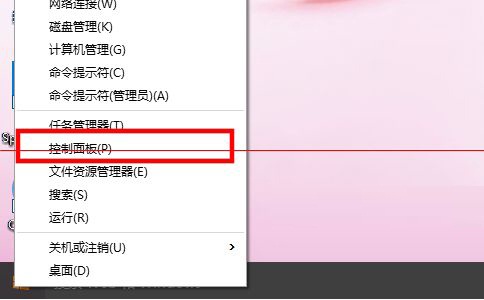
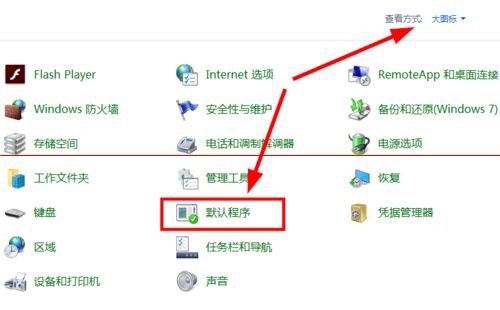
  1. 右鍵開始鈕 → 「控制台」 → 大/小圖示檢視 → 「預設程式」。
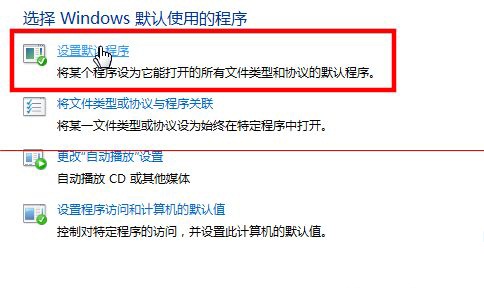
  2. 「設定預設程式」 → 左側列表選「Internet Explorer」 → 右側點擊「將此程式設為預設值」。

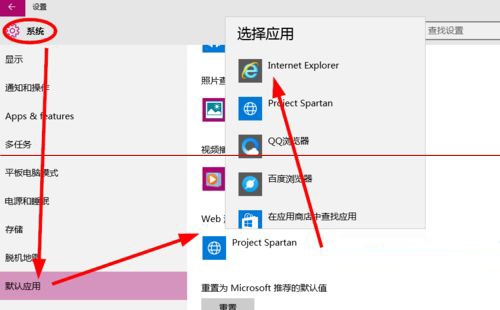
方法二:設定 App「預設應用程式」

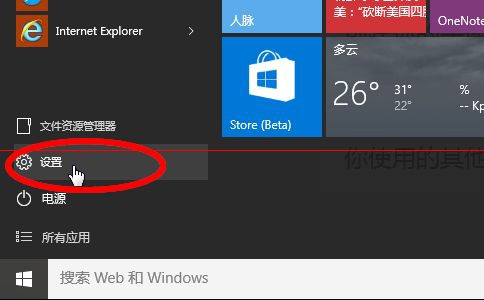
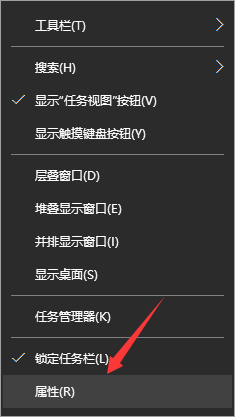
  1. 開始 → 「設定」 → 「系統」 → 「預設應用程式」。
  2. 「網頁瀏覽器」 → 從清單選擇「Internet Explorer」。

兩法皆可生效,方法二為現代化設定介面,操作更直覺。

IE預設瀏覽器

控制台預設程式

設定預設程式

IE設為預設

設定App

預設應用程式選擇IE

Copyright © Windows教程網 All Rights Reserved