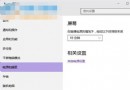
Win10 內建 VPN 用戶端支援 PPTP 與 L2TP/IPsec,設定步驟:
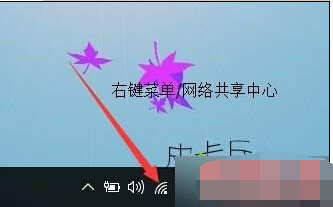
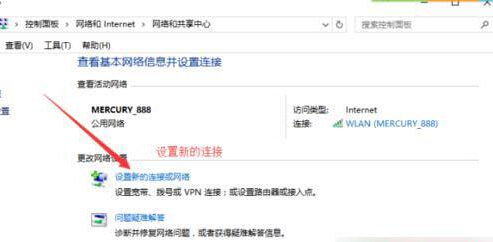
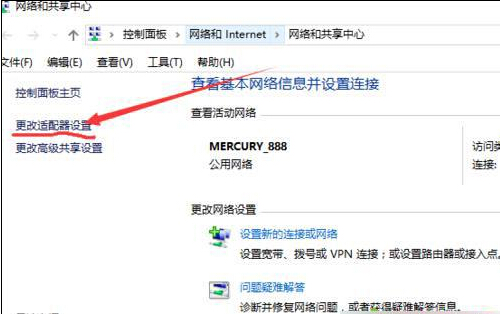
- 「網路與網際網路設定」 → 「網路及共用中心」 → 「設定新的連線或網路」。
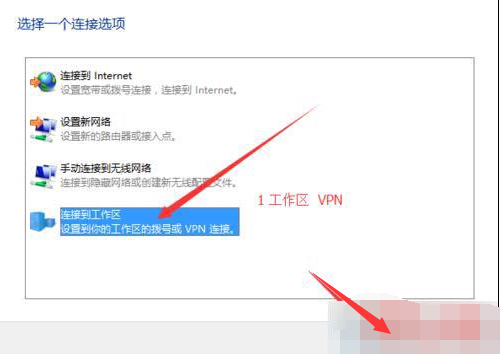
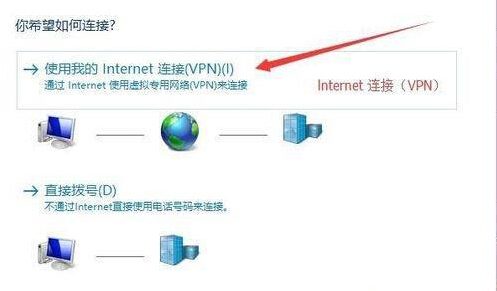
- 選「連線到工作場所」 → 「使用我的網際網路連線 (VPN)」。
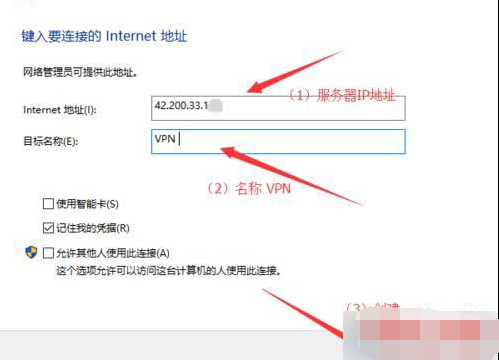
- 輸入 VPN 伺服器位址、連線名稱、帳號密碼 → 建立。
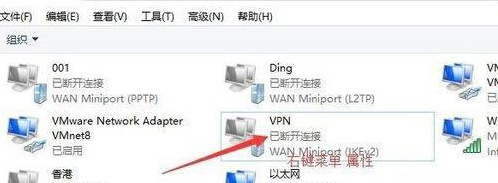
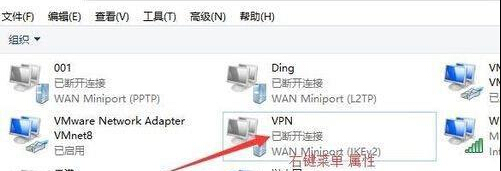
- 回「網路及共用中心」 → 「變更介面卡設定」 → 右鍵新建 VPN → 「內容」。
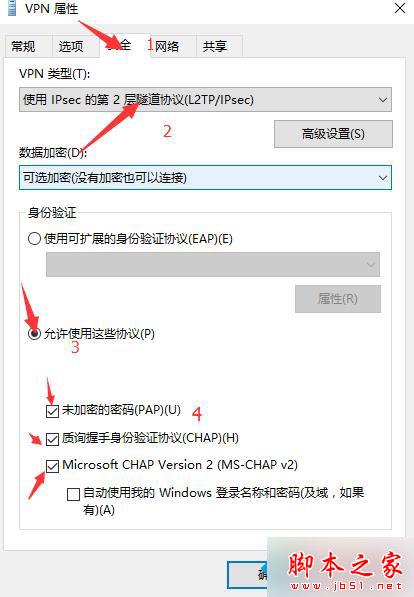
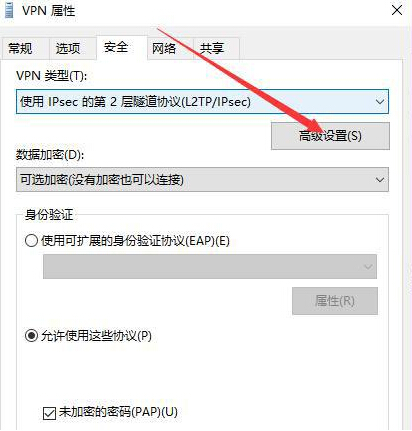
- PPTP:「安全性」頁 → VPN 類型選「點對點通道協定 (PPTP)」。
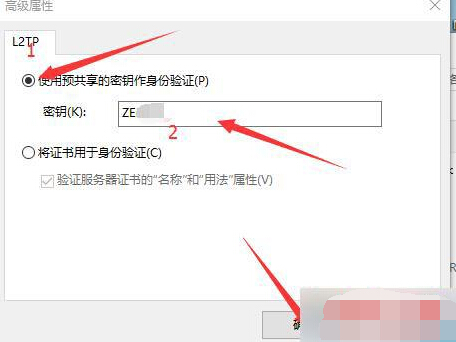
L2TP/IPsec:選「第 2 層通道協定 (L2TP/IPsec)」 → 「進階設定」 → 選「使用預先共用金鑰驗證」 → 輸入共用金鑰。
- 雙擊 VPN 連線 → 輸入帳號密碼 → 連線。
圖文詳細標註 PPTP/L2TP 差異設定點,依公司/供應商提供協定選擇。