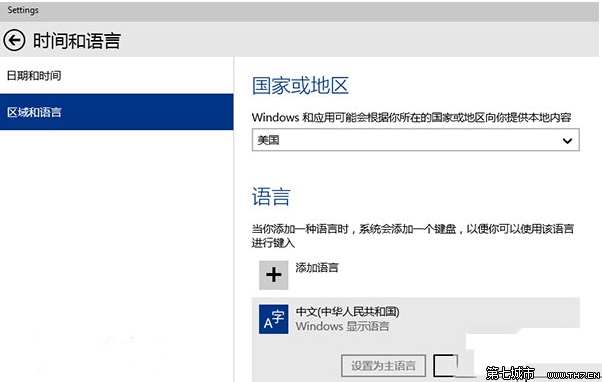
視覺舒適度關鍵在於字體大小。Win10 提供細緻的文字縮放功能,適合高解析度螢幕、長者使用者或單純想看得更清楚的用戶。
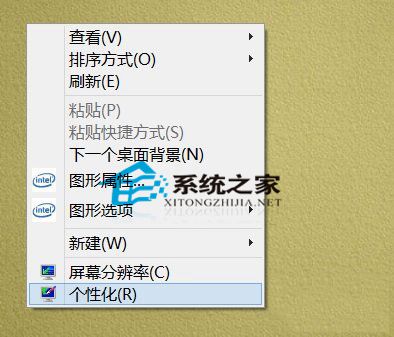
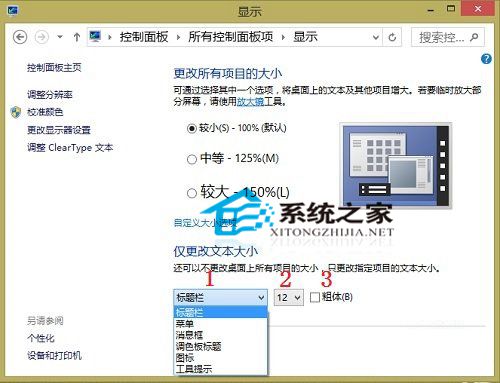
此設定僅影響系統 UI 文字,不改變整體 DPI 縮放,避免版面錯亂。為長輩電腦設定大字體,瞬間提升易用性。
Windows 10 安裝 Python 完整圖文教學:從官網下載到環境變數設定
Win 10 9879 自動更新失敗?切換至 Fast Ring 立即檢查更新
Win10 加入 Windows Insider 計畫(內部預覽版體驗計畫)完整申請流程
Win10 啟用快速啟動加快開機速度:控制面板電源選項完整設定圖解
關閉 Windows 10 升級提示完整教學:卸載 KB3035583 補丁 + 刪除 GWX 升級助手
升級 Win10 後 360 瀏覽器無法上網?LSP 損壞、權限異常、DPI 模糊、Spartan 核心四大問題完整解決方案