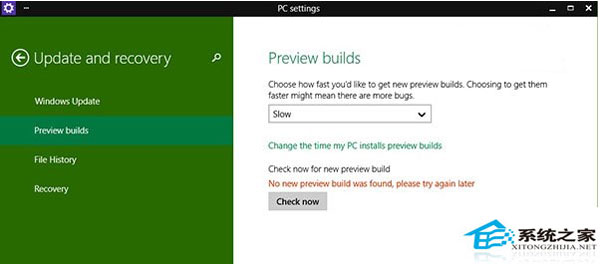
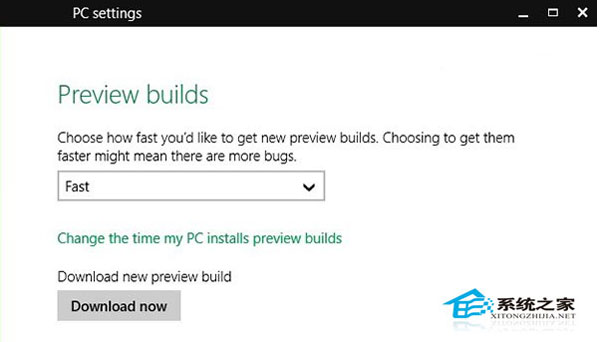
「預覽版本」設定頁面點「立即檢查」無反應、無法下載 9879 更新。
Slow Ring (慢速環) 需等待 Fast Ring 驗證後才推送,切換 Fast Ring 可優先獲得最新版本。
Win10 連不上 Wi-Fi?檢查網卡驅動、無線服務、適配器設定三步排查
Win 10 無法玩 CF (穿越火線)?相容性問題分析與替代方案
Win10 工作列如何隱藏?自動隱藏、位置調整、按鈕合併完整設定教學
Win 10 筆電 D 槽出現愛奇藝資料夾?聯想預裝應用自動建立,可自行變更路徑或解除安裝
Win10 內建桌面壁紙自動輪換設定教學,無需第三方軟體
Win10 9879 硬盤安裝單系統/雙系統完整教程:軟媒硬盤裝機工具實戰
Win10 IE 瀏覽器緩存目錄遷移教程:自定義路徑便於定期清理釋放空間
Windows 10 Build 10130 電池提示介面優化:資訊放大、快速調節滑桿、主題色整合