Internet Explorer 11 雖已非主流瀏覽器,但許多企業內部系統、舊版銀行網銀、政府專用入口仍仰賴其相容模式。Windows 10 預設會透過 Windows Update 自動升級 IE,若新版導致舊系統故障,可透過 IE 內建選項暫停自動更新,保持穩定環境。
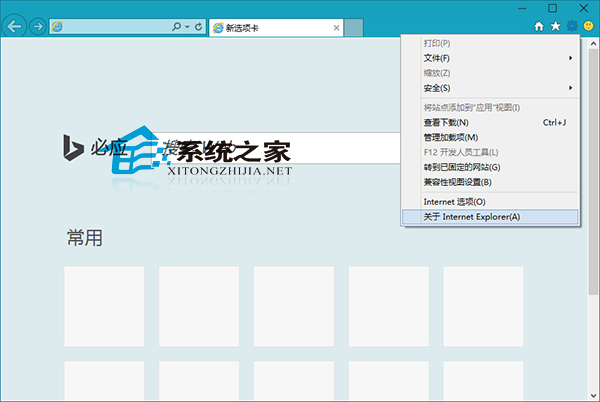
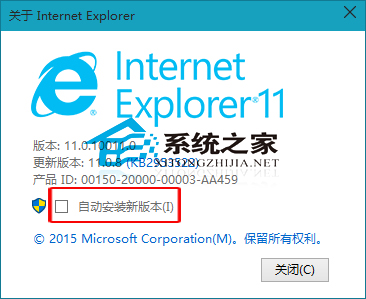
gpedit.msc > 電腦設定 > 管理範本 > Windows 元件 > Internet Explorer > 關閉存取所有 Windows Update 功能進行更新)統一管控。Win10 IE 無法使用?三大官方解決方案:重置 Winsock、Proxy 設定、新建管理員帳號
Win10 寬帶連線錯誤 651 解決全攻略:Modem、線路、ISP 三層排查
Win10 開機提示「關鍵錯誤」如何解決?User Manager 服務啟用教學
Windows 10 Build 10120 更新內容詳解:新版音樂/影片 App、Edge 歷史記錄/開發者選單、移除閱讀清單、棄用媒體串流 API
Win10 安裝 .appx/UWP 應用:啟用「旁載應用」 → 雙擊 .appx 或 PowerShell Add-AppxPackage
Win10 9926 版本號查看全攻略:桌面水印、命令列、註冊表多種方法