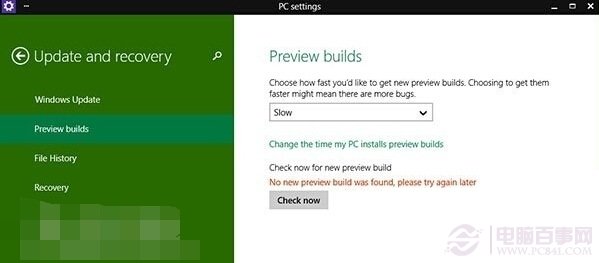
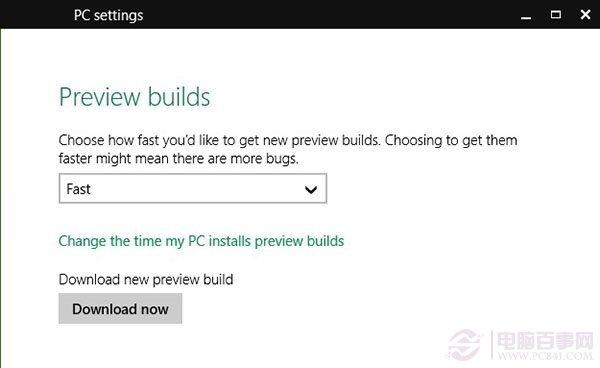
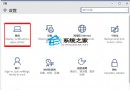
Build 9879 屬 Fast Ring (第四層級),預覽版本設置中必須選擇「Fast」才能接收推送。
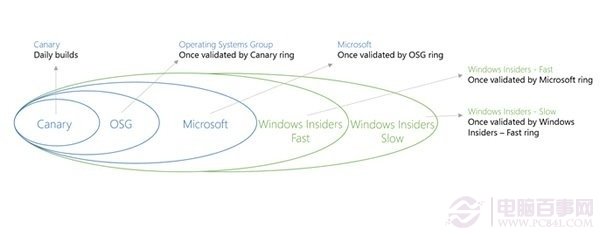
微軟預覽版分級推送:內部 → 受信合作夥伴 → Slow Ring (9860) → Fast Ring (9879)。層級越外鬆、越早拿到新版但穩定性越低。9860 為 Slow,9879 為 Fast,故須切換通道接收。
Win10 預覽版 10125 開始功能表與 Cortana 無法開啟?安裝中文語音/手寫套件修復
Win10 手動檢查更新升級教學:設定→更新與安全性三步驟
Win10 輸入法消失、只能打英文?兩招快速找回輸入法圖示與功能
Win10 Microsoft 帳號密碼忘記?官網 account.live.com 郵箱驗證重設完整流程
Win10 刪除多餘啟動項:工作管理員清理殘留、第三方工具深度掃描
Win 10 刪除內建微軟拼音輸入法,改用慣用輸入法
Win10 DVD 播放器常見 6 大問題與解決辦法整理
Win10 筆電續航不夠?關閉背景應用與優化電源設定實測有效