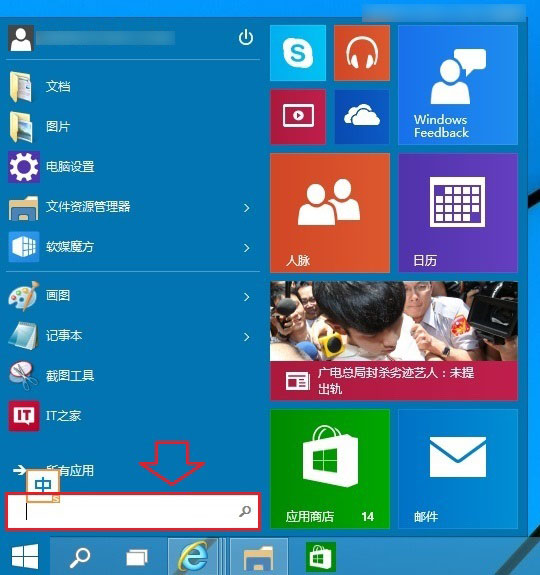
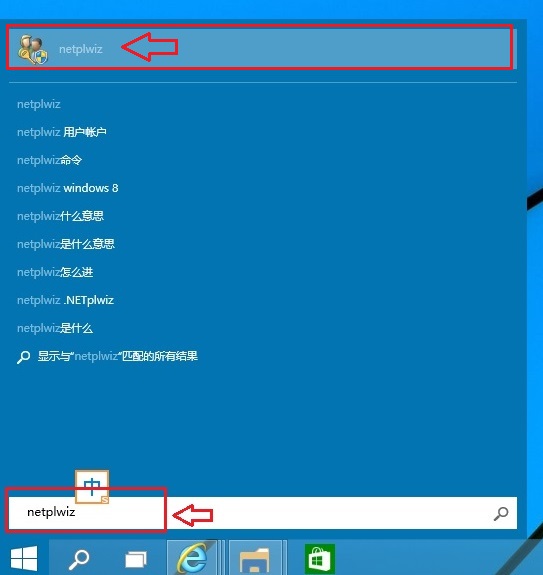
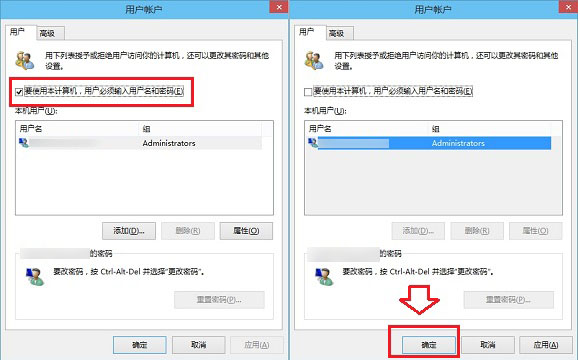
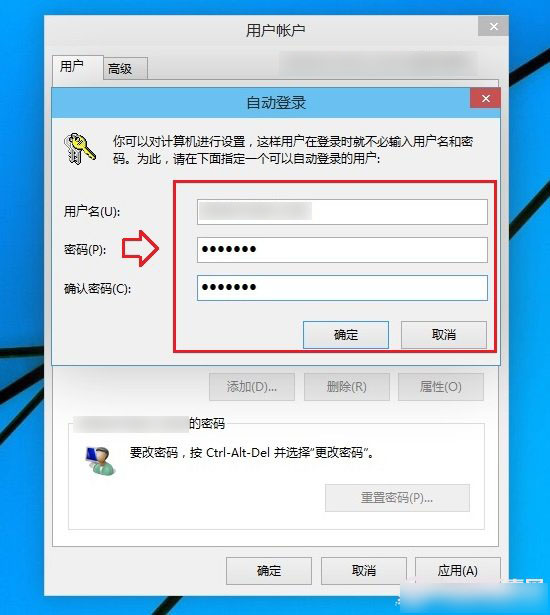
Windows 10 設定/取消開機密碼 (自動登入) 步驟:
netplwiz
下次開機將直接進入桌面。注意:啟用自動登入降低裝置安全性,筆電/共用電腦建議保留密碼保護。
Windows 10 修改檔案副檔名:檔案總管勾選顯示 + 重新命名
USB 安裝 Win10 完整圖文教學:媒體建立工具製作啟動碟、BIOS 設定、分區安裝
Win10 紅石版新特性:RadialController 徑向選單與 Ink Toolbar 墨水工具列,強化手寫筆操作體驗
Win10 螢幕亮度調整完整指南:設定介面與快捷鍵雙管齊下
Windows 10 開始菜單已解除安裝 Modern 應用圖示殘留清除三法
Windows 10 顯示 QQ 訊息通知於工作列:開啟系統通知權限與工作列圖示設定
Win 10 開始選單如何加入常用網站?IE 新分頁右鍵「加入應用程式檢視」
Win10 系統更新無線網卡驅動程式的快速教學