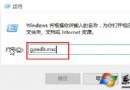
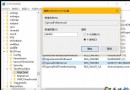
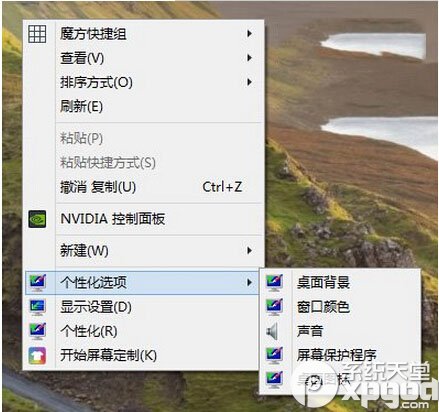
Windows 10 推廣新版「設定」應用程式,傳統控制台項目較難尋找。透過匯入登錄檔,可在桌面右鍵選單新增「個人化設定」子選單,快速存取桌面背景、色彩、音效、螢幕保護程式、圖示等傳統控制台項目:
ClassicControl.reg (編碼 ANSI/UTF-8):Windows Registry Editor Version 5.00 [HKEY_CLASSES_ROOT\DesktopBackground\Shell\Appearance] "MUIVerb"="個人化設定" "SubCommands"="Wallpaper;Colors;Sounds;Screensaver;Icons" "icon"="desk.cpl" "Position"="Bottom" [HKEY_LOCAL_MACHINE\SOFTWARE\Microsoft\Windows\CurrentVersion\Explorer\CommandStore\shell\Screensaver] @="螢幕保護程式" "Position"="Bottom" "Icon"="desk.cpl" [HKEY_LOCAL_MACHINE\SOFTWARE\Microsoft\Windows\CurrentVersion\Explorer\CommandStore\shell\Screensaver\Command] @="rundll32.exe shell32.dll,Control_RunDLL desk.cpl,screensaver,@screensaver" ... (其餘 Wallpaper, Colors, Sounds, Icons 同理,詳見原文完整碼) ...
移除方式:匯入對應的刪除鍵值登錄檔 (以 -[路徑] 格式)。
Win10 定時休眠喚醒全攻略:任務排程器一鍵設定自動開關機
Windows 10 Visual Studio 2010 提示缺少 rcdll.dll 解決:註冊表補齊 SDK 路徑
Win10 右下角顯示「IME 被禁用」無法輸入中文?啟用 MsCtrMonitor 任務即可恢復
Windows 10 桌面顯示「這台電腦」圖示:個人化設定兩步搞定
Win10 雙螢幕顯示如何設定?Win+P 快捷鍵切換擴展/複製模式
Win 10 Build 14931 更新內容與已知問題彙總:USB Audio 2.0 原生支援、修復黑屏與預裝 App 故障