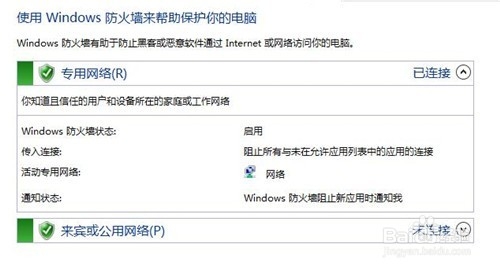
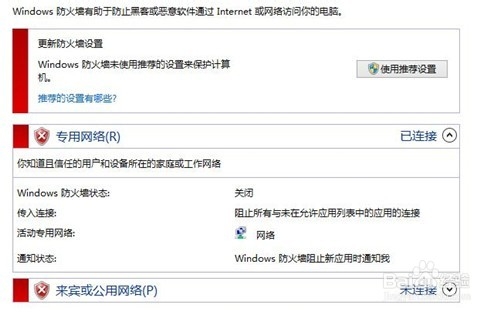
Windows 防火牆保護電腦安全,特定操作需暫時關閉。兩種開啟/關閉方式:
方法一:控制台 (傳統)
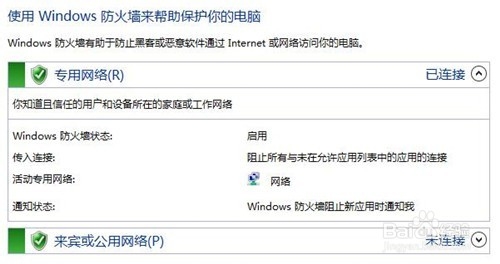
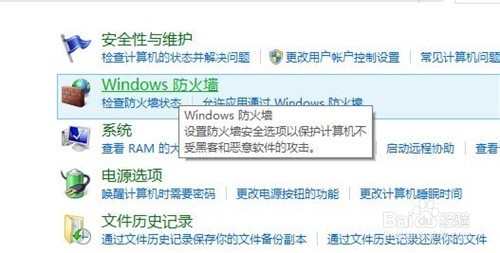
- 右鍵開始 → 「控制台」 → 「系統與安全性」 → 「Windows Defender 防火牆」。
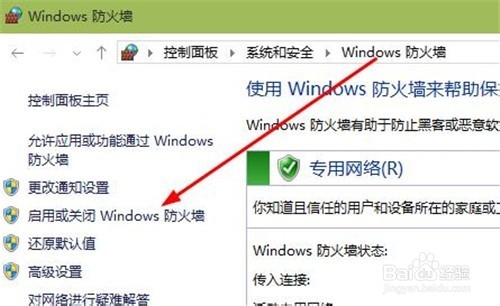
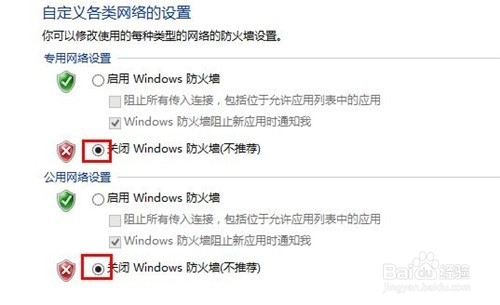
- 左側「開啟或關閉 Windows Defender 防火牆」。
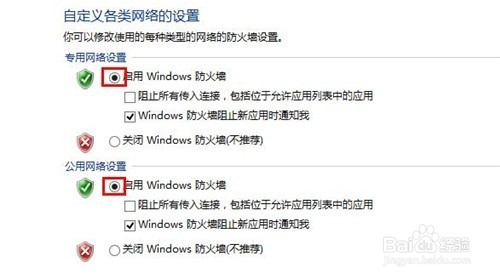
- 分別針對「私人網路」與「公用網路」勾選「開啟」或「關閉」 → 確定。
方法二:設定應用程式 (現代)
- 開始 → 設定 → 「網路和網際網路」 → 「Windows 防火牆」。
- 同樣可切換各網路設定檔的開啟/關閉。
警告:長期關閉防火牆極度危險,僅建議在特定除錯情境下短暫關閉,完成後立即重新開啟。