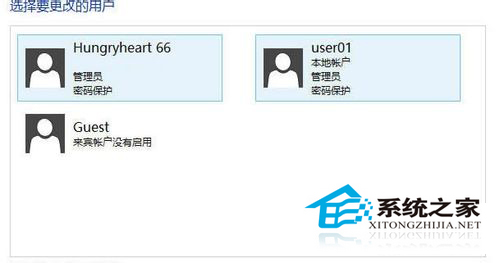
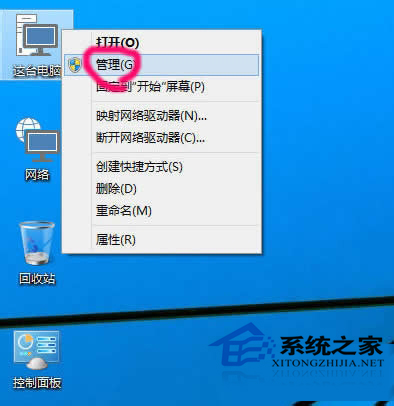
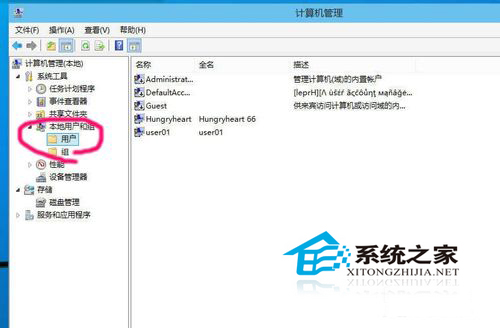
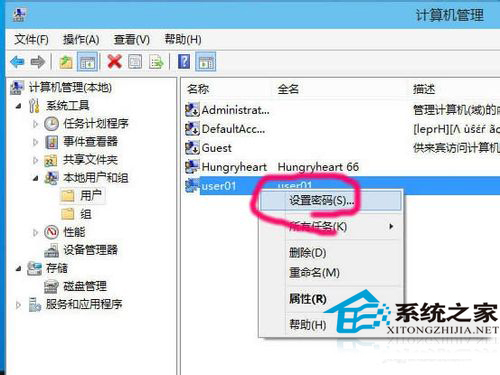
Windows 10 修改本地帳戶密碼可透過「電腦管理」→「本地用戶和群組」快速完成,適用於管理員重設其他使用者密碼或自我變更。
注意:此法僅適用本地帳戶。Microsoft 帳戶密碼需在 account.microsoft.com 線上變更。自我變更密碼建議使用「設定」→「帳戶」→「登入選項」→「密碼」→「變更」,可保留 EFS/憑證存取權。
Win10 雙螢幕設定不同桌布?三步驟輕鬆實現多顯示器個性化
Win10 應用程式商店下載的 App 存在哪裡?查看隱藏資料夾 WindowsApps 位置
Win10 Mobile 安裝 Android APK 應用教學 (含 Visual Studio 與 SDK 環境建置)
Win10 升級 TH2 失敗錯誤 0xc1900101-0x30018?啟動核心更新服務解決安裝受阻
Win10 應用程式錯誤 0xc0000018?註冊表清理 AppInit_DLLS 解決
Win10 取消訂閱行事曆:清理多餘行事曆來源
Win10 Build 9901 Cortana (小娜) 使用體驗:語音喚醒、筆記本、飛行追蹤
Windows 10 預覽版版本不符無法啟用?一鍵解鎖升級專業版