微軟釋出 Windows 10 Build 10240,Windows Insider 快速/慢速通道成員均可透過 Windows Update 取得。傳聞此為 RTM(釋出版)候選版本,將送交 PC 廠商預裝。
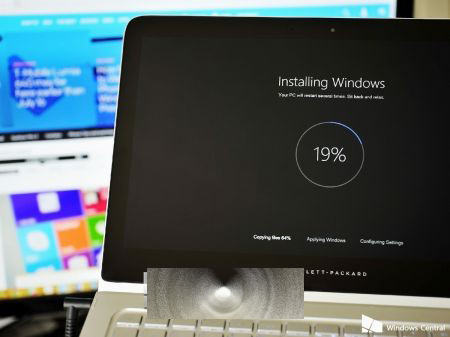
Gabriel Aul 指出:未來兩週仍會推送 Windows 更新與商店應用更新,建議每天檢查更新,確保運行最新程式碼。桌面浮水印與版本號已移除,暗示接近最終版本。Aul 亦預告「至少有一項有趣內容即將與 Insider 見面」,7 月 29 日正式版前可能還有更新。
Windows 10 Build 10123 將重新加入備份與還原功能:取代 File History 限制、回應企業用戶需求
Win10 找回 Win7 三大經典:Aero Glass 毛玻璃、桌面小工具、經典啟動選單 (第三方工具實現)
Win10 設定待機時關閉硬碟:電源選項進階設定調整關閉硬碟時間延長筆電續航
Win10 藍屏死機不斷重開機?顯卡驅動不相容是主因,更新/停用驅動救援法
Win10 啟用內建 Administrator 管理員帳號:電腦管理→本地用戶和群組
Win10 可登入 QQ 卻打不開網頁?DNS 劫持或協議遺失兩招解決
Win10 預覽版 10 大使用技巧:關閉同步、啟用 Cortana、快速通道、新 Office/音樂/視頻、固定設定、回收空間、自定義資源管理器、OneDrive 設置、反饋建議、回滾版本