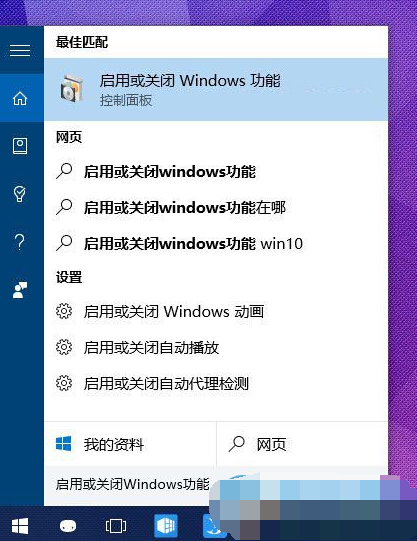
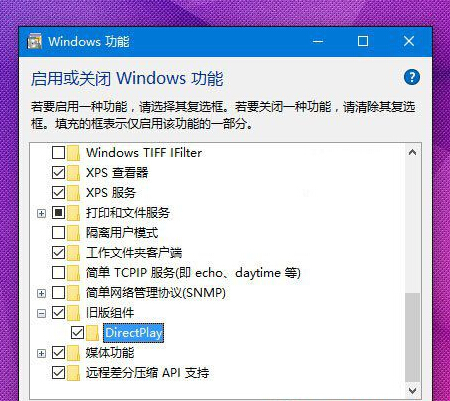
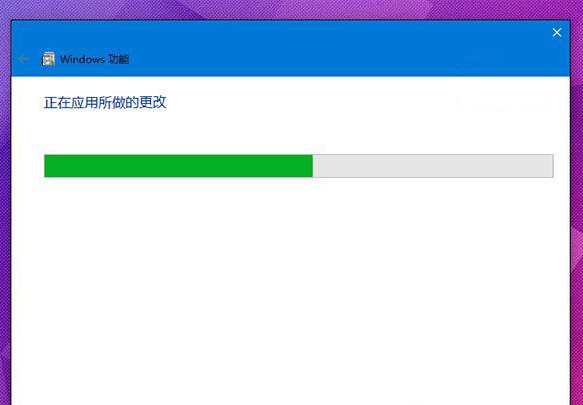
Win10 內建 DirectX 12,部分老遊戲(DirectX 9/10/11 時代)出現卡頓、花屏、無法全螢幕、視窗縮放異常。啟用「DirectPlay」舊版元件可建立相容層,解決多數顯示與網路相容問題。
完成後重啟遊戲測試。DirectPlay 提供舊版 DirectX 網路通訊 API 相容,對早期網路遊戲尤為關鍵。若仍有問題,嘗試:右鍵遊戲執行檔 > 內容 > 相容性 > 勾選「以相容模式執行」選 Windows 7/8;或更新顯卡驅動至廠商最新版。
Win10 開始菜單打不開/報錯?安全模式+重新部署 UWP 徹底修復
Windows 10 運行 FIFA 14 閃退/不穩?乾淨啟動排查第三方衝突
Win10 將秒錶釘選到「開始」菜單(另版教程)
Win10 右鍵「個人化」打不開?一鍵修復管理員權限問題
Win10 如何顯示檔案副檔名?檔案總管「檢視」索引標籤一鍵開啟
Win10 應用商店下載慢?優化 DNS 解決方案(含 360 工具與手動設定雙版本)
Win10 10550 預覽版無法接收推送?微軟內部測試中,靜待官方釋出
Win10 Build 10108 版本截圖圖賞:UI 微調與應用更新