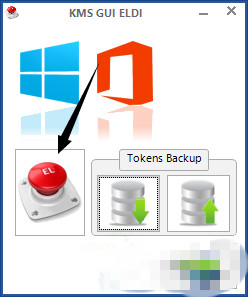
安裝 Windows 10 後需安裝 Office 套件,Office 2013 啟用教學:
重要聲明: • KMSpico 為 KMS 模擬啟用工具,屬灰色地帶軟體,**僅供測試/學習用途**。 • 企業/商業環境請購買正版 Office 365 或永久授權,獲得完整技術支援、更新與合法合規。 • 盜版軟體可能包含惡意程式碼,建議從官方管道取得軟體。 • Office 365 訂閱制提供最新版本、1TB OneDrive、多裝置安裝,性價比高。
Windows 10 檔案總管出現雙重 OneDrive 圖示?註冊表修復重複項目教學
Win10 10114 Insider Hub 全新改版:漢堡選單、Modern 佈局與任務前置
Windows 10 免費升級資格完整說明:符合條件版本、升級管道、盜版政策
Windows 10 回復上一版本 (回滾) 完整教學:條件、步驟與注意事項
Windows 10 開啟系統設定 (msconfig) 兩種方法教學
Win10 如何開啟英文拼字自動更正?設定裝置輸入啟用拼寫檢查
Win10 鎖定畫面顯示網路圖示不安全?教你用登錄檔隱藏網路按鈕
Windows 10 任務列通知區域「隱藏圖示」三角形顯示/隱藏設定