Windows XP Windows 7 Windows 2003 Windows Vista Windows 綜合教學 Linux 系統教學
Windows 10 Windows 8 Windows 2008 Windows NT Windows Server 電腦軟體教學

Win10 禁止新增/登入 Microsoft 帳戶:群組原則設定「帳戶:封鎖 Microsoft 帳戶」

編輯:Windows 10 系統介紹

企業或共用電腦環境可透過群組原則禁止使用者新增或使用 Microsoft 帳戶 (MSA) 登入,強制使用本機帳戶,提升資料隔離與管理便利性。

設定步驟 (僅 Win10 Pro/Enterprise)

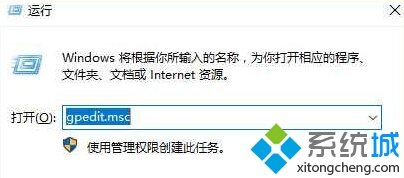
  1. 按 Win+R 輸入 gpedit.msc 開啟本機群組原則編輯器。
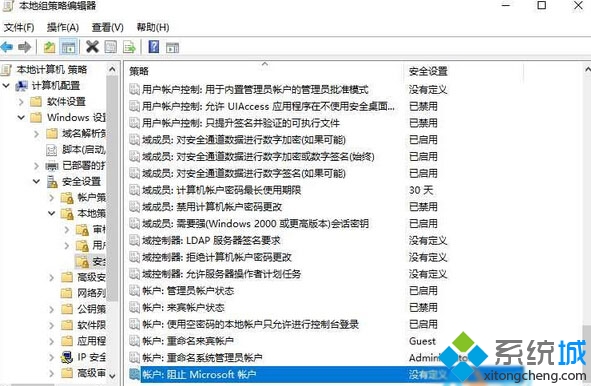
  2. 依序展開:
    「電腦設定」→「Windows 設定」→「安全性設定」→「本機原則」→「安全性選項」。
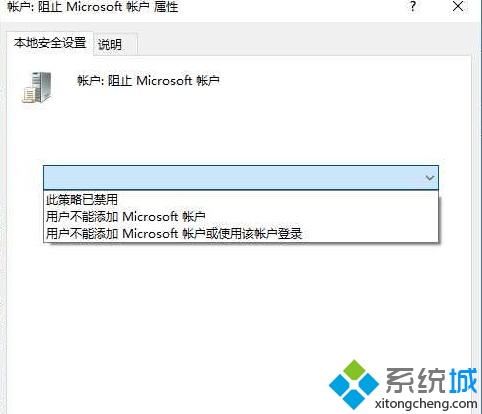
  3. 右側清單找到「帳戶:封鎖 Microsoft 帳戶」→ 雙擊開啟。
  4. 選擇「使用者無法新增或使用 Microsoft 帳戶登入」→「確定」。

設定生效後,「設定」→「帳戶」中將無法新增 Microsoft 帳戶,登入畫面也不再顯示 MSA 選項。Home 版可使用註冊表修改 HKEY_LOCAL_MACHINE\SOFTWARE\Microsoft\Windows\CurrentVersion\Policies\System\NoConnectedUser 達成相同效果。
Copyright © Windows教程網 All Rights Reserved