Windows XP Windows 7 Windows 2003 Windows Vista Windows 綜合教學 Linux 系統教學
Windows 10 Windows 8 Windows 2008 Windows NT Windows Server 電腦軟體教學

Win10 搜尋功能失效?重建索引快速修復

編輯:Windows 10 系統介紹

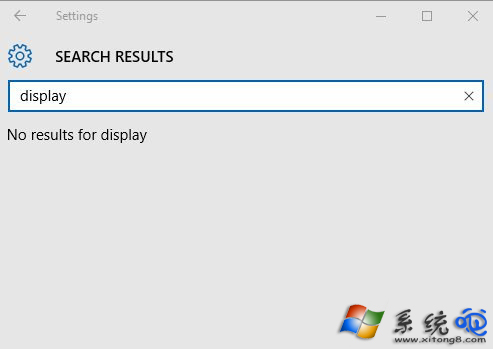
Win10 工作列搜尋框或設定內搜尋無回應、找不到結果,通常是索引資料庫損毀。透過清除並重建 Indexed 資料夾索引即可恢復。

修復步驟

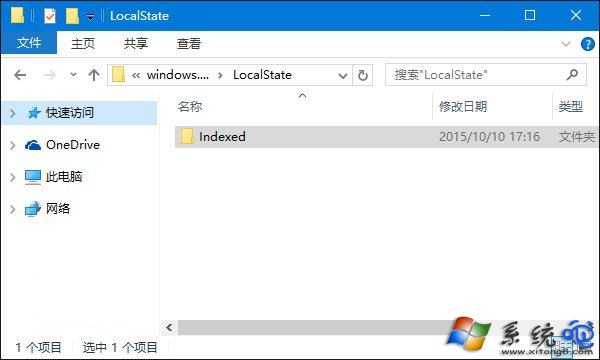
  1. 按 Win+R 輸入路徑:
    %LocalAppData%\Packages\windows.immersivecontrolpanel_cw5n1h2txyewy\LocalState 並按 Enter。
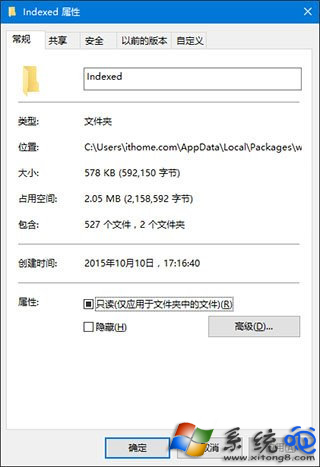
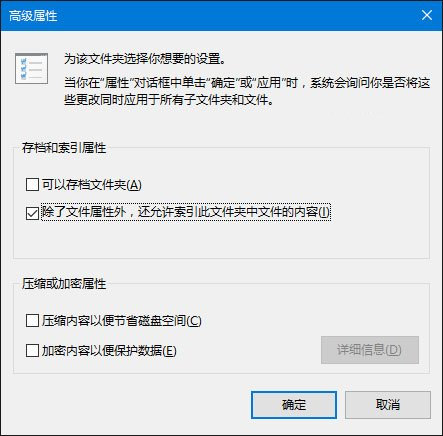
  2. 在開啟的資料夾中,右鍵 Indexed 資料夾 →「內容」→「進階」。
  3. 取消勾選「允許索引此資料夾中檔案的內容(除了檔案屬性外)」,確定後,再重新勾選該選項。
  4. 系統將自動重建索引,需等待數分鐘,完成後搜尋功能即恢復正常。

執行路徑開啟資料夾

Indexed 資料夾內容

進階屬性視窗

取消/重新勾選索引選項

此法專門修復「設定」App 內搜尋失效,若工作列搜尋也異常,可同步重建「索引選項」中的所有位置索引。

Copyright © Windows教程網 All Rights Reserved