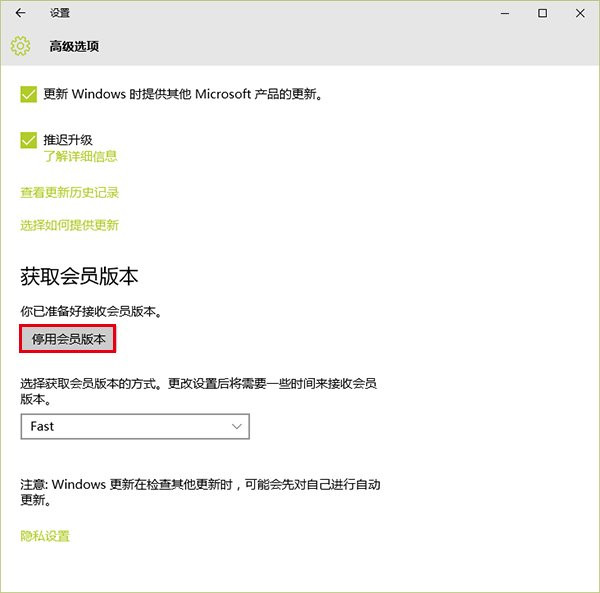
Windows Insider 計畫參與者在 Windows 10 正式版 (Build 10240) 釋出後,可選擇「停用測試版本」退出計畫,保留現有系統並改接收正式版更新。若目前版本早於 10240,建議先升級再退出,否則可能無法收到正式版推送。
注意:若系統非從 Win7/8.1 升級而來 (如全新安裝預覽版),退出計畫後需購買授權才能合法使用。亦可下載正式版 ISO 重新安裝。
Windows 10 找回消失的「個人化」設定:群組原則啟用內建管理員核准模式
Win10 一直彈出「插頭已從插孔拔出」?音訊管理器關閉「前面板插孔偵測」即解
Win10 解除安裝程式完整教學:四步輕鬆移除不需要的應用程式
螢幕解析度調不準?檢查顯示卡驅動是否正確安裝:裝置管理員快速診斷法
Win10 預覽版每 3 小時自動重開機?微軟強制推升級最新版本
Win10 程式被「發行者不受信任」阻擋?IE 設定移除不受信任發行者解除封鎖
Win10 玩 DNF 出現「非法模組」?關閉 Xbox Game Bar 錄製功能解決
360 Win10 升級助手完整操作教程:下載、檢測、升級、激活全流程