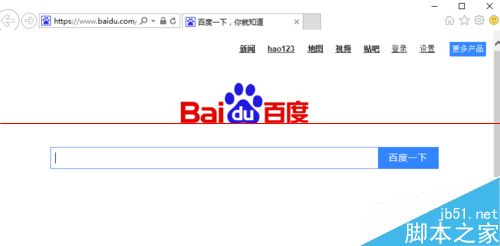
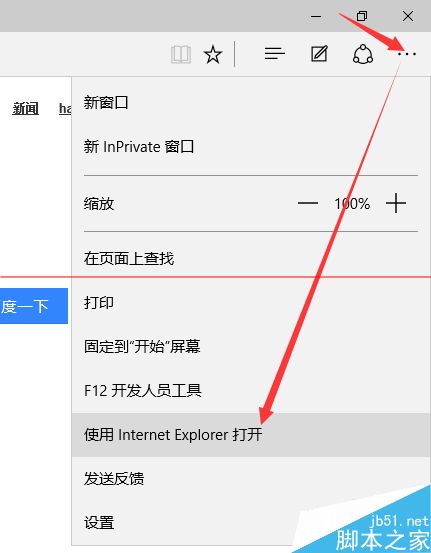
Edge 瀏覽器右上角「...」→ 「用 Internet Explorer 開啟」,或將 C:\Program Files\Internet Explorer\iexplore.exe 釘選至工作列/開始選單。
C:\Program Files\Internet Explorer\iexplore.exe
Win10 開機彈出 cnext.exe 應用程式錯誤?AMD 顯卡驅動衝突完整解決流程
Win10 應用程式商店無法安裝應用?執行 wsreset 重置快取
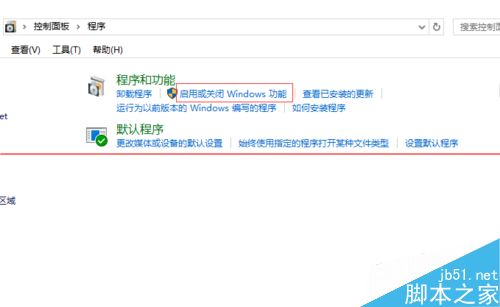
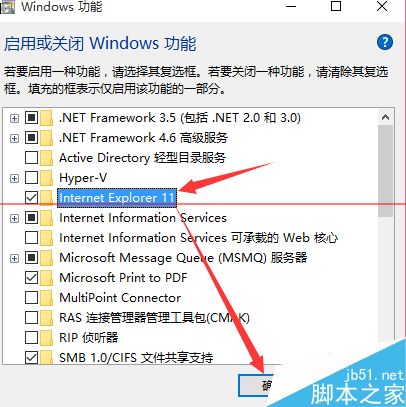
Windows 10 找不到 IE 瀏覽器?透過「開啟或關閉 Windows 功能」啟用 IE11
Win10 刪除已安裝字型:控制台字型管理器移除第三方字型不影響系統字型
Win10 開啟「執行」視窗三大法:Win+R、開始選單、搜尋列
Windows 10 筆電鍵盤按鍵錯亂?Fn + NumLock 關閉數字鍵盤恢復正常
Win10 放大鏡工具路徑在哪?兩種快速啟動方式教學
Win10 Build 10162 慢速通道下周預計推送,同步釋出 ISO 映像檔