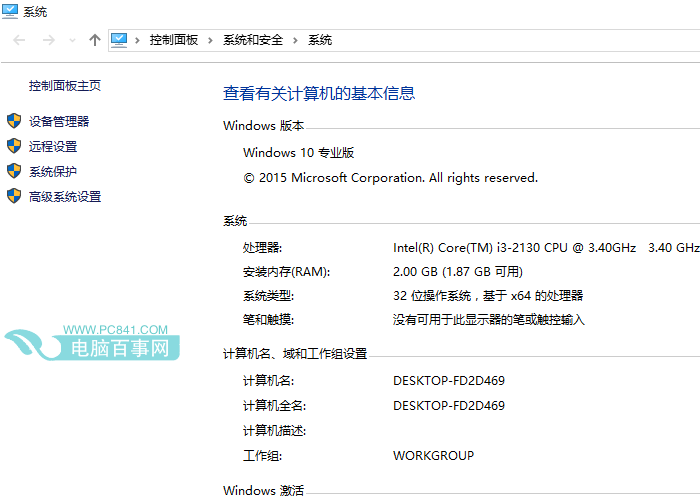
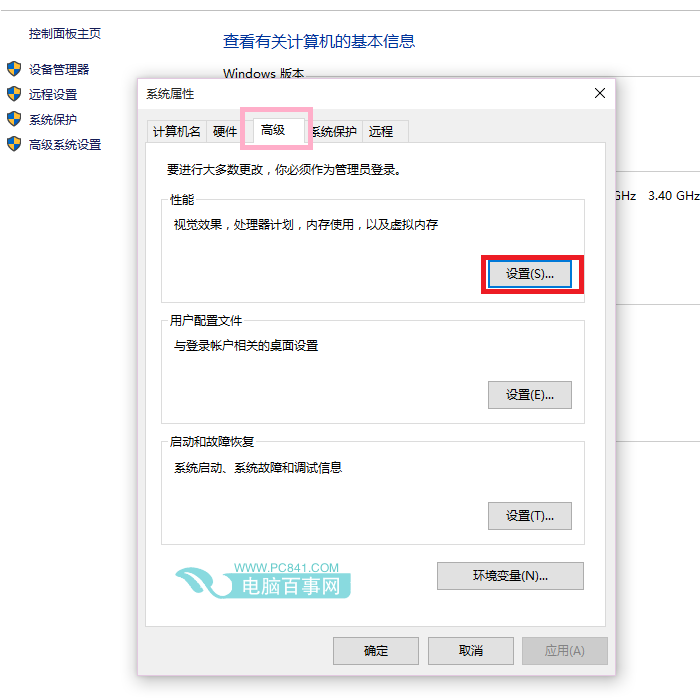
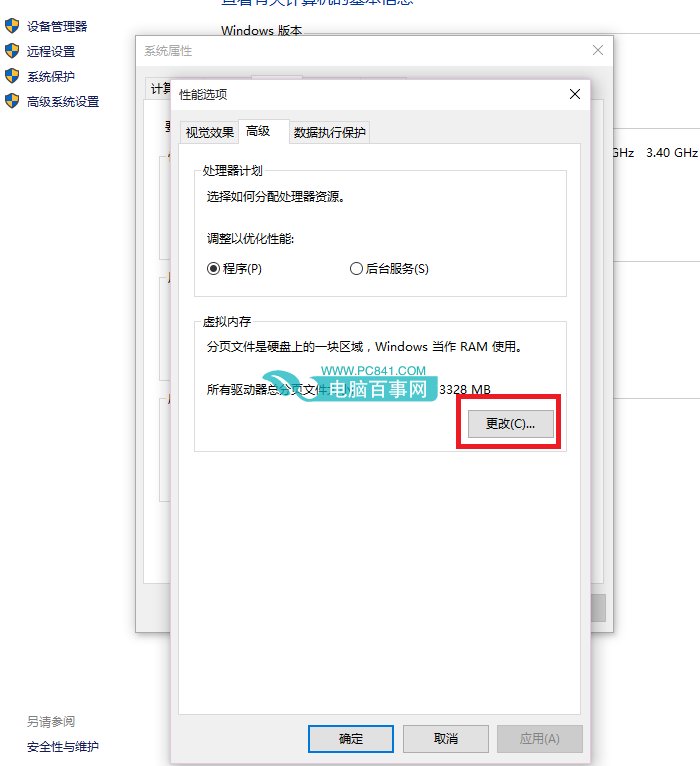
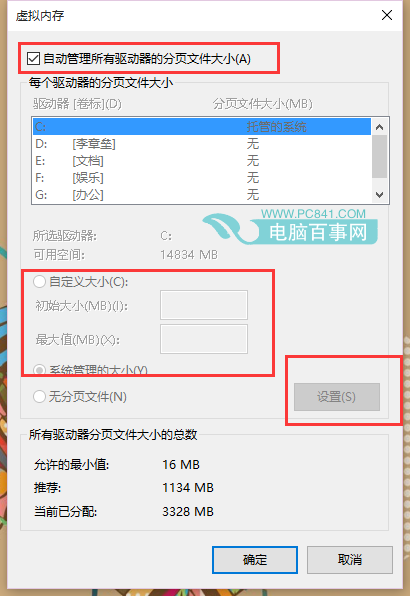
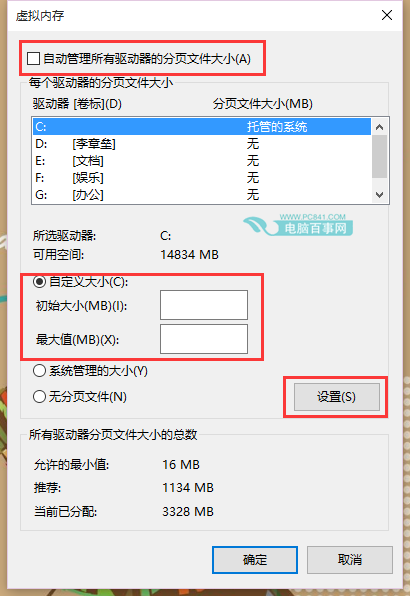
適當調整虛擬記憶體可改善記憶體不足時的系統穩定度。
Win10 如何徹底結束頑固進程?tskilla 指令強制終止 PID
Win10 小娜 Cortana 搜尋好慢?建立索引加速本地搜尋速度完整教學
騰訊電腦管家 Win10 升級助手完整操作教程:檢測、下載、安裝一條龍
Win10 顯示檔案副檔名兩法:檔案總管「檢視」勾選 / 資料夾選項取消「隱藏已知副檔名」
Win10 新裝完成很卡頓?關閉透明效果與模糊特效輕量化介面,老筆電立即順暢
Win10 桌面找不到「網路」圖示?個人化設定 3 步找回
Win10 無法關機?關閉「快速啟動」後重新開啟即可修復
Win10 跳過鎖定畫面直接進入登入介面兩種設定方法