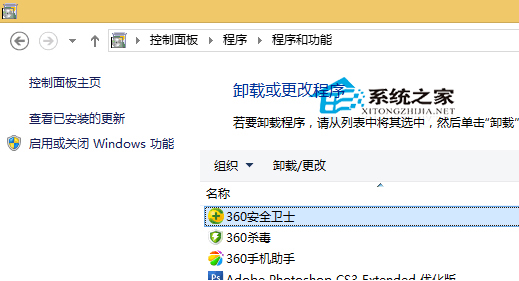
Win10 下移除 360 方法與舊版類似,提供兩種途徑:
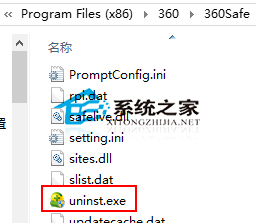
X:\Program Files (x86)\360\360Safe
uninst.exe
兩法皆適合新手,操作簡單。提醒:同類優化軟體勿同時安裝多套,避免衝突。
Win10 輸入法圖示消失只剩鍵盤圖示?同樣用桌面語言列 + ctfmon.exe 急救
Win10 9879 KB3020114 檔案總管崩潰補丁安裝失敗解決法
Windows 10 PDF 檔案預設用 Edge/斯巴達瀏覽器開啟怎麼改回「閱讀器」App?
Win10 設定開機進入平板模式:系統 > 平板電腦模式 > 登入時自動切換
Win10 商店/Modern App 開全域代理無法聯網/閃退?關閉系統代理設定即可恢復
Win10 清除 DNS 快取的兩種指令法
Win10 新設 PIN 碼無法登入/刪除/修改?Win8.1 協助管理或等待正式版修復
Win10 雙顯示卡無法切換?更新核顯驅動與手動指定獨顯