企業/學校環境需限制使用者綁定 Microsoft 帳戶(防止資料同步至雲端、繞過網域管控),群組原則可強制阻止新增與登入 Microsoft 帳戶。
設定步驟
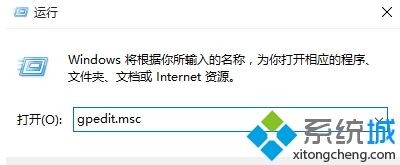
- Win+R
gpedit.msc 開啟群組原則編輯器(Pro/Enterprise 版)。
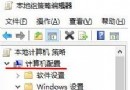
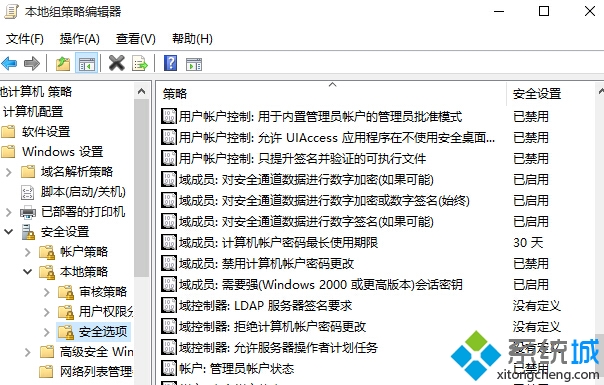
- 路徑:電腦設定 → Windows 設定 → 安全性設定 → 本地原則 → 安全性選項。
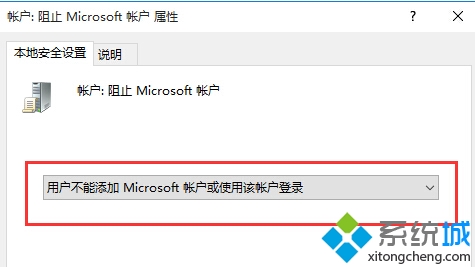
- 右側找到「帳戶:阻止 Microsoft 帳戶」雙擊。
- 選「使用者無法新增 Microsoft 帳戶或使用該帳戶登入」→ 確定。
- 生效後設定→帳戶→「您的資訊」將無法切換為 Microsoft 帳戶登入。
副作用提醒
- 會導致 Microsoft Store 無法登入下載應用。
- OneDrive、郵件與行事曆、Xbox 等 UWP 應用無法使用雲端同步功能。
- 已知副作用:部分用戶回報「新增/關聯 Microsoft 帳戶時閃退」即為此設定生效導致。
註冊表替代方案 (Home 版)
HKEY_LOCAL_MACHINE\SOFTWARE\Microsoft\Windows\CurrentVersion\Policies\System 新建 DWORD NoConnectedUser = 1(需重開機)。