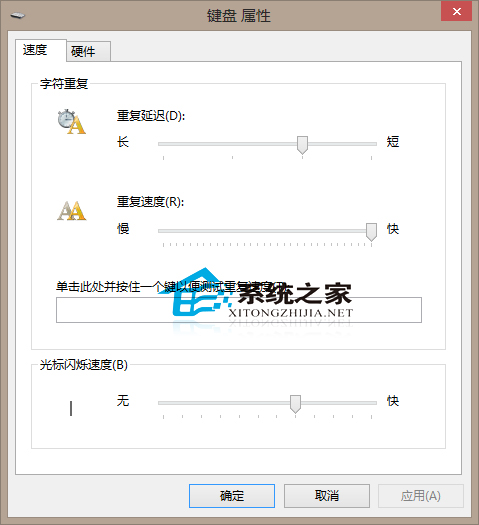
游標閃爍太快/太慢影響輸入體驗?Win10 控制台鍵盤屬性可微調閃爍速度。
預設速度適合多數人,僅建議有特殊需求 (視力障礙、極速打字) 者調整。調太快易造成眼睛疲勞,請適度設定。
Windows 10 玩 League of Legends (LOL) 打字無候選框:微軟拼音相容性問題兩種解法
Win10 如何隱藏「此電腦」桌面圖示?個人化→桌面圖示設定取消勾選電腦
Win10 正式版基本定型,進入修補階段,預計 6 月 RTM、8 月釋出
Win10 任務檢視快速切換應用:工作列右鍵開啟「顯示工作檢視按鈕」 → 點擊/Win+Tab 進入多工作業視圖 → 點選/拖曳/關閉視窗超直覺
Win10 玩 CF (穿越火線) 無法全螢幕?調整螢幕解析度為遊戲設定值即可
Win10 快速輸入箭頭符號:善用輸入法拼音碼 (you/zuo/zuoshang…)
Win10 調整視窗標題列高度與捲軸寬度註冊表教學
Win10 手動設定固定 IP 位址:命令列 netsh 指令三步完成