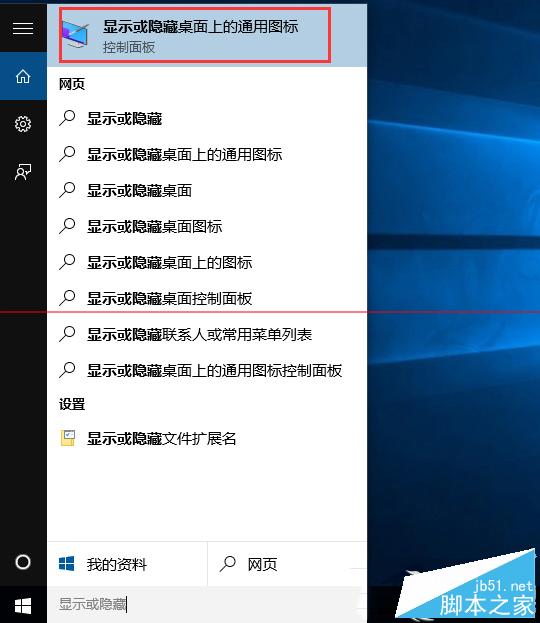
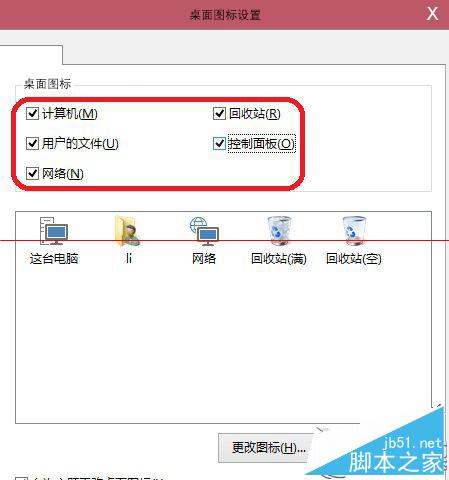
同 ID 23132 內容重複。Windows 10 未啟用授權時,透過搜尋「顯示或隱藏桌面上的通用圖示」直接開啟桌面圖示設定視窗,勾選所需系統圖示即可生效,無需啟用授權。
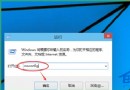
Win+R 執行 desk.cpl ,0 同樣可直接開啟。
desk.cpl ,0
Win10 取消開機密碼自動登入:netplwiz 經典法與設定 App 新法
Win10 升級後內建應用程式無法開啟?兩大解決方案完整教學
Win10 Cortana 小娜圖示更換:圓圈臉↔面團 切換教學
Win10 如何查詢錯誤報告尋找解決方案?內建診斷指令教學
Windows 10 如何更改檔案預設開啟程式?右鍵選單「選擇預設應用程式」最快
Win10 桌面無法刪除「回收站」圖示?個人化設定 → 桌面圖示設定一鍵隱藏
Win10 找回 Win8 傳統搜尋列:不啟用 Cortana 也能快速搜尋
Windows 10 刪除應用程式商店下載暫存檔釋放 C 槽空間