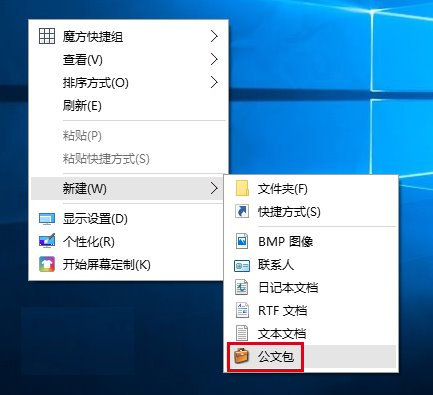
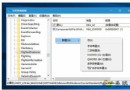
「公文包」功能自 Win8.1/Win10 起被移除,但可透過匯入登錄檔恢復右鍵新建選單中的「公文包」選項,適用於離線同步需求。操作步驟:
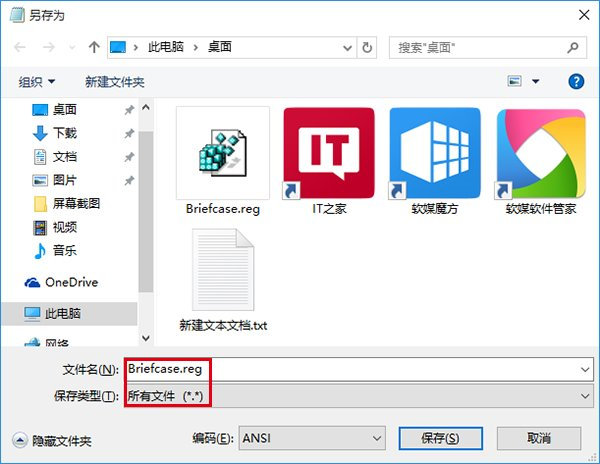
Briefcase.reg(檔案類型選「所有檔案」)。Windows Registry Editor Version 5.00
[HKEY_LOCAL_MACHINE\SOFTWARE\Classes\Briefcase\ShellNew]
"IconPath"=hex(2):25,00,53,00,79,00,73,00,74,00,65,00,6d,00,52,00,6f,00,74,00,25,00,5c,00,73,00,79,00,73,00,74,00,65,00,6d,00,33,00,32,00,5c,00,73,00,79,00,6e,00,63,00,75,00,69,00,2e,00,64,00,6c,00,6c,00,2c,00,30,00,00,00
"ItemName"=hex(2):40,00,25,00,53,00,79,00,73,00,74,00,65,00,6d,00,52,00,6f,00,74,00,25,00,5c,00,73,00,79,00,73,00,74,00,65,00,6d,00,33,00,32,00,5c,00,73,00,68,00,65,00,6c,00,6c,00,33,00,32,00,2e,00,64,00,6c,00,6c,00,2c,00,2d,00,36,00,34,00,39,00,33,00,00,00
"Directory"=""
"Handler"="{85BBD920-42A0-1069-A2E4-08002B30309D}"
[HKEY_LOCAL_MACHINE\SOFTWARE\Classes\Briefcase\ShellNew\Config]
"IsFolder"=""
"NoExtension"=""
若需移除,同樣建立 .reg 檔案匯入以下碼:
Windows Registry Editor Version 5.00

[-HKEY_LOCAL_MACHINE\SOFTWARE\Classes\Briefcase\ShellNew]