Windows Update 更新 Flash Player 失敗錯誤 0x80070002,透過清理軟體分發快取並確保關鍵服務啟動雙重修復。
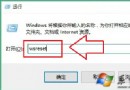
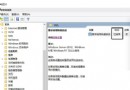
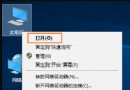
net stop wuauservC:\Windows\SoftwareDistribution\Download 與 DataStore 內所有檔案net start wuauserv 重啟服務services.msc說明: Flash Player 已於 2020/12/31 終止支援,現代瀏覽器 (Edge/Chrome/Firefox) 內建移除 Flash 支援。此教學適用歷史版本維護情境。新版 Win10 已透過更新移除 Flash Player 元件 (KB4577586),無需手動更新。
Win10 輸入法圖示消失只剩鍵盤圖示?同樣用桌面語言列 + ctfmon.exe 急救
Win10 技巧:在開始功能表置頂最愛應用程式 (利用不可見空格優先排序)
Win10 內建管理員帳號無法開啟應用程式?修改登錄表 FilterAdministratorToken 啟用 UAC 支援
Windows 10 Build 10568 更新內容總覽:穩定性修正與效能優化為主
Win10 隱藏快速存取「常用資料夾/最近使用檔案」保護隱私
Win10 預覽版找回 Win8.1 網路列表:登錄權限修改教學