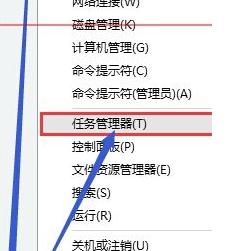
Win10 Insider Preview 版本右下角彈出小廣告(推廣應用/服務),可透過任務管理員結束 HyFamily 進程暫時關閉(重開機後可能恢復)。
Win10 徹底移除 OneDrive:指令卸載、暫停同步、隱藏圖示三種情境完整指南
Win10 調整桌面圖示字體大小:透過進階顯示設定自訂文字縮放
升級 Win10 預覽版 11099 後跳出 WSClient.dll 丟失怎麼辦?禁用排程任務一勞永逸
Win10 啟用 IE11 瀏覽器:從開始功能表找回 IE、固定工作列、多開獨立工作階段
Win10 KB3119142 重複提醒安裝:修復 Visual C++ 2012 解決
Windows 10 加快桌面應用程式啟動速度:停用「啟動延遲」登錄修改法
Windows 10 Build 10122 更新內容完整彙整:開始選單重設計、Edge 新標籤頁、平板模式優化、Bug 修復