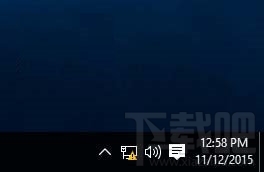
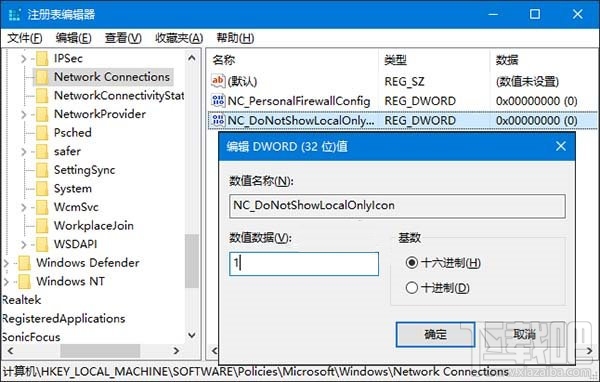
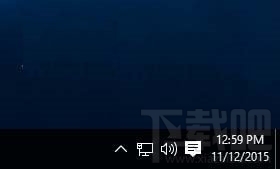
網路正常但圖示顯示驚嘆號,透過註冊表新增 NC_DoNotShowLocalOnlyIcon = 1 隱藏警告。
NC_DoNotShowLocalOnlyIcon
1
regedit
HKEY_LOCAL_MACHINE\SOFTWARE\Policies\Microsoft\Windows\Network Connections
此為重複內容,解決方案同 22555。
Win10 安裝字體失敗?啟用 Windows Firewall 服務即可解決
Win10 無法執行 QQ?必須下載官方最新版、兼容模式、系統架構匹配完整排查
Win10 原版系統安裝完整教學(UEFI + NT6 安裝器)
Win10 天氣應用主頁城市修改教學
Win10 9879 硬碟無法辨識?Ubuntu Live 修復開機磁區
Win10 安裝後變慢?關閉「快速啟動」提升效能
Windows 7/8.1 關閉 Windows 10 免費升級提示:三種方法完整教學
Win10 Mobile 10240 模擬器安裝與使用教學:Hyper-V 環境需求與虛擬機建立流程