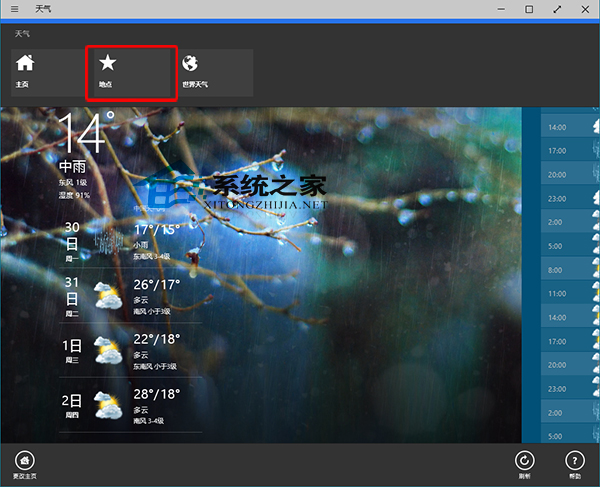
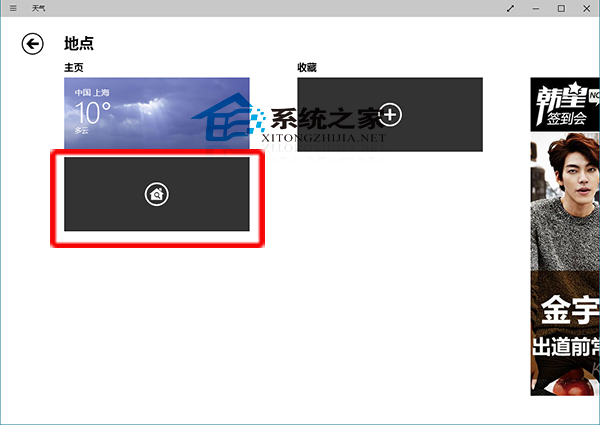
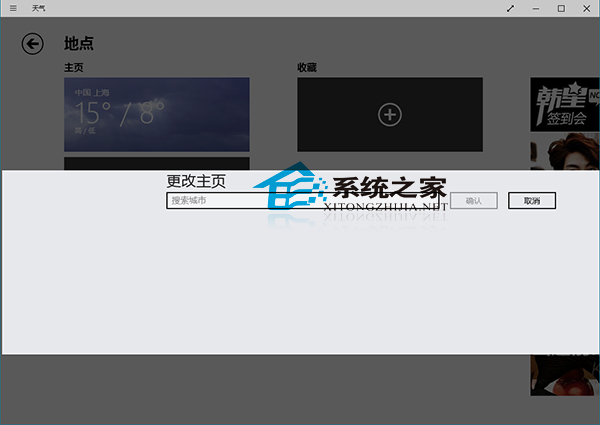
Win10 內建天氣應用主頁顯示城市可自訂,四步驟完成:
設定後主頁即時顯示該城市天氣資訊。
Win10 皮皮播放器閃退?解除安裝 KB3132372 更新修復 Flash 相容性
Windows 10 專屬頭像線上產生器:上傳照片加入 Win10 Logo 三步驟完成
Windows 10 內建鬧鐘與時鐘 App 完整設定教學
升級 Win10 提示「相容性檢測補丁未安裝」?安裝 KB2952664 並等待 7 天生效
Win10 還原 Win8.1 備份 U 盤報錯 0xc000000f?關閉 Secure Boot 並修復啟動項解決
Windows 10 開啟遠端桌面連線教學:系統屬性遠端設定與使用者權限授予
Win10 如何使用「儲存空間」保護資料?多磁碟建立儲存池備份
Win10 切換螢幕鍵盤與觸控鍵盤:工作列啟用觸控鍵盤、osk 指令呼叫傳統鍵盤