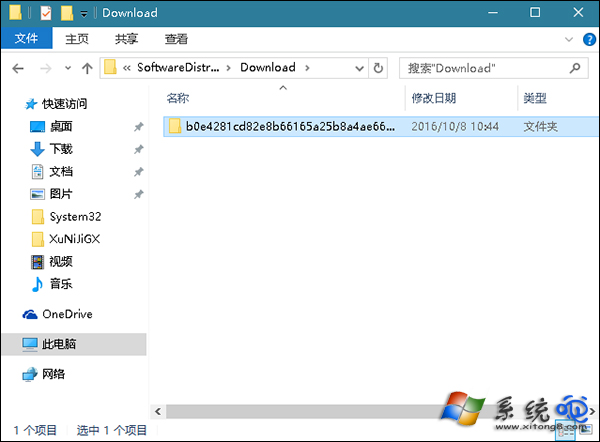
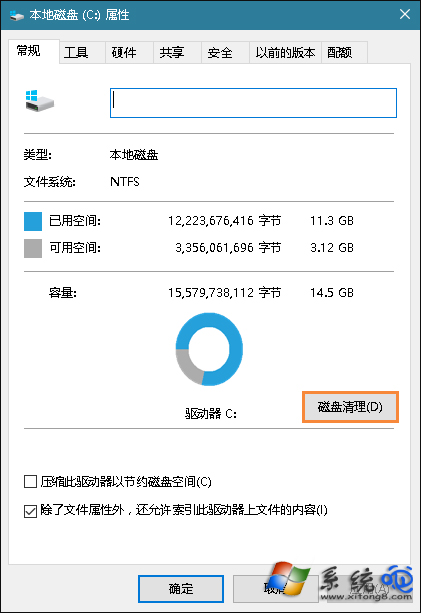
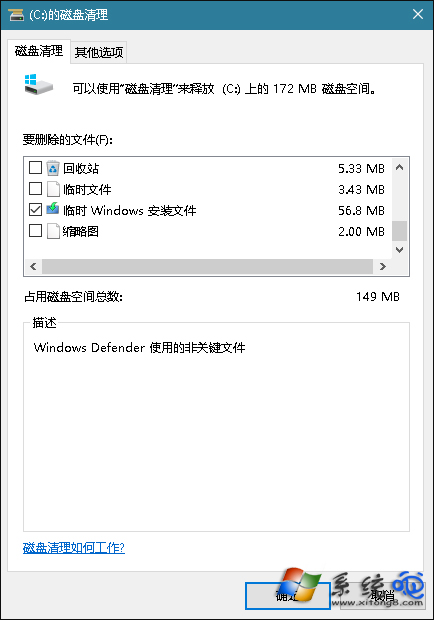
Windows Update 更新失敗後遺留的快取檔案常導致後續手動安裝補丁同樣失敗。清理 C:\Windows\SoftwareDistribution\Download 資料夾與磁碟清理中的「暫存 Windows 安裝檔案」可斷開失敗循環。
C:\Windows\SoftwareDistribution\Download
清理完成後重新執行 Windows Update 或手動安裝補丁,成功率大幅提升。操作前可備份 Download 資料夾以防萬一。
Windows 10 照片應用程式刪除相簿/相片操作教學
Win10 藍屏錯誤代碼 0x00000050 解決:乾淨啟動排查衝突驅動與服務
Win10 如何設定鎖定畫面播放幻燈片?個人化設定加入資料夾循環顯示照片
Windows 10 ISO 安裝報錯 0x80080005-0x90016「執行此工具時出現問題」解決辦法
Win10 Build 9926 應用程式商店新 UI 搶先看:灰色調主題、垂直捲軸、全螢幕集合頁面
微軟宣布:Windows 10 RTM 後將為 Edge 瀏覽器新增 5 大功能(擴充套件、Cortana 整合、WebRTC、指標鎖定、平台特性)
Windows 10 圖片縮略圖不顯示?關鍵在「檢視模式」設定
Win10 系統螢幕保護色 (護眼綠) 設定教學:註冊表修改 Window 背景色