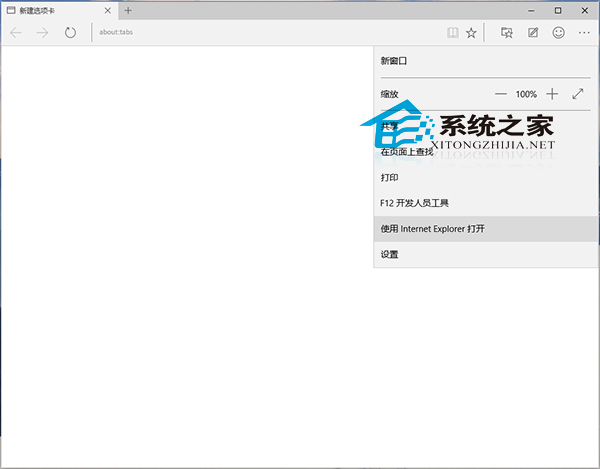
Edge 遇相容性問題可立即切換 IE 引擎開啟同一網址。
Edge 另具網頁批註、閱讀模式、Cortana 整合等新功能,詳見《Win10 Spartan 瀏覽器功能詳解》。
Win10 HP 印表機驅動自動更新失敗 0x80240017 解決辦法
Win10 顯示/隱藏檔案副檔名:檔案總管一鍵切換
Win7 免費升級 Win10 完整圖文步驟(含加入 Insider 計畫)
Win10 睡眠功能消失/無法使用?群組原則啟用 S1-S3 待機狀態恢復
Win10 禁止 Windows Update 更新訊息推送:安全性與維護一鍵關閉通知
Win10 PowerShell 批次解除安裝內建應用:Get-AppxPackage | Remove-AppxPackage 一鍵淨化系統
Win10 如何在工作列新增網址輸入框?工具列啟用「位址」一鍵開啟網站
Win10 中找不到 explorer.exe?實為「Windows 檔案總管」