Windows 10 內建 Xbox Game Bar 提供遊戲錄影、螢幕截圖、效能監控等功能,無需第三方軟體即可輕鬆錄製遊戲過程。
| 熱鍵 | 功能 |
|---|---|
| Win + G | 開啟/關閉遊戲工具列 |
| Win + Alt + G | 背景錄製(需先啟用) |
| Win + Alt + R | 開始/停止錄製 |
| Win + Alt + PrtScn | 遊戲螢幕截圖 |
| Win + Alt + T | 顯示/隱藏錄製計時器 |
所有熱鍵均可在「設定」→「遊戲」→「遊戲列」中自訂,避免與其他軟體熱鍵衝突。
C:\Users\<使用者名稱>\Videos\Captures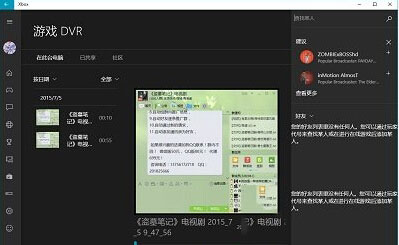
Xbox Game Bar 整合錄影、截圖、效能監控與社群分享,是遊戲玩家記錄精彩時刻的最佳內建工具。