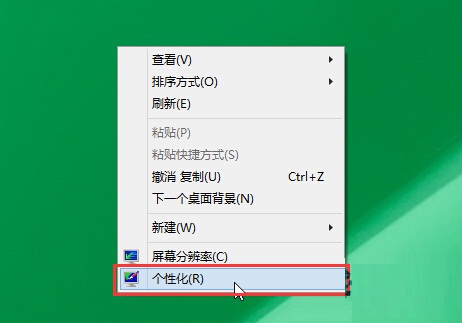
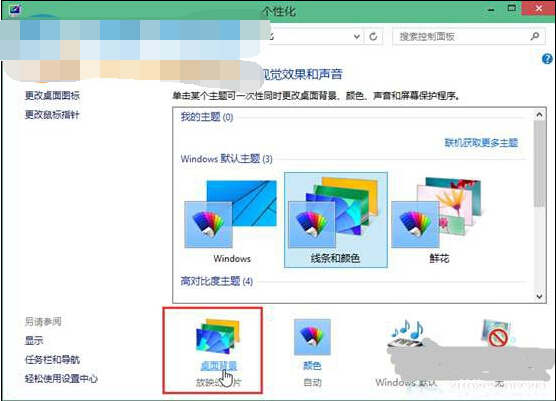
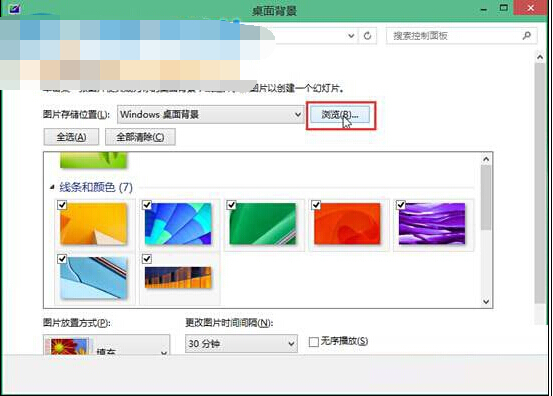
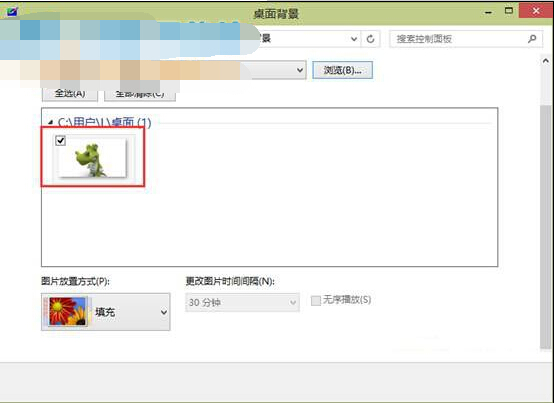
新手設定 Win10 桌面壁紙步驟:
支援靜態圖片、純色、投影片播放三種模式,操作直覺簡單。
安裝 Win10 前必知 9 大常識:金鑰、過期、配置、升級保留、虛擬機
Win10 應用商店/更新錯誤 80072EFD?關閉防火牆/殺毒測試、加信任清單、改 DNS 三步驟
Win10 已安裝可選功能可卸載:設定 → 系統 → 應用和功能 → 管理可選功能 → 選擇功能 → 卸載
Win10 Edge 瀏覽器我的最愛(收藏夾)如何備份與還原?完整路徑與導入法教學
Windows 10 七大版本差異全解析:哪個版本最適合你?
Windows 10 正式版激活完整指南:三種主流方法詳細說明
Win10 遊戲相容性測試:幾乎所有遊戲可執行,僅 24 款有嚴重 Bug
Windows 10 / 8.1 應用商店購買錯誤:官方確認服務端問題,建議稍後重試