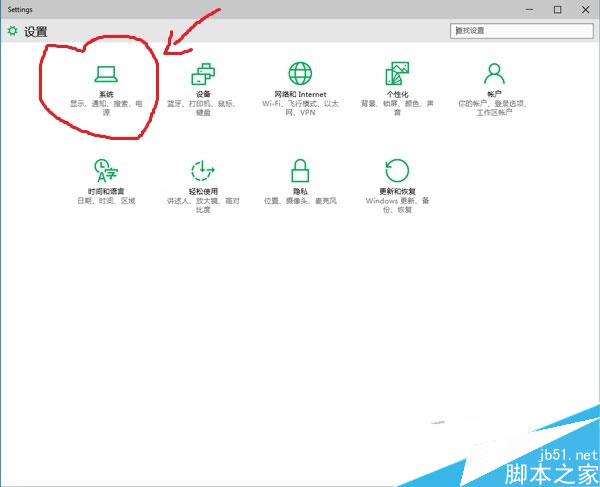
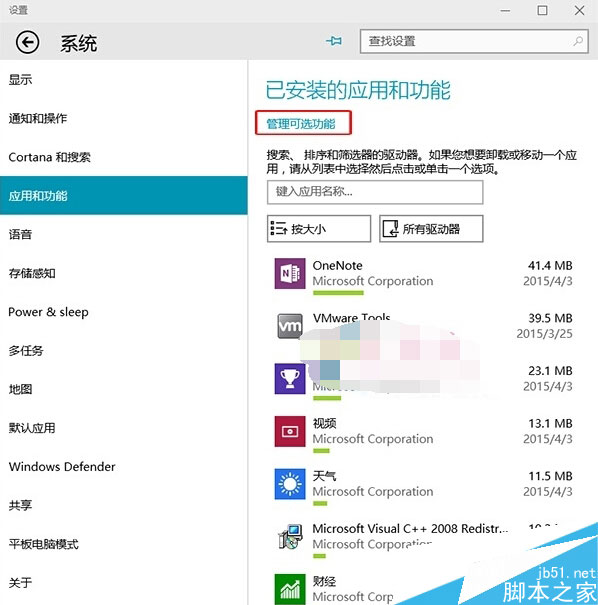
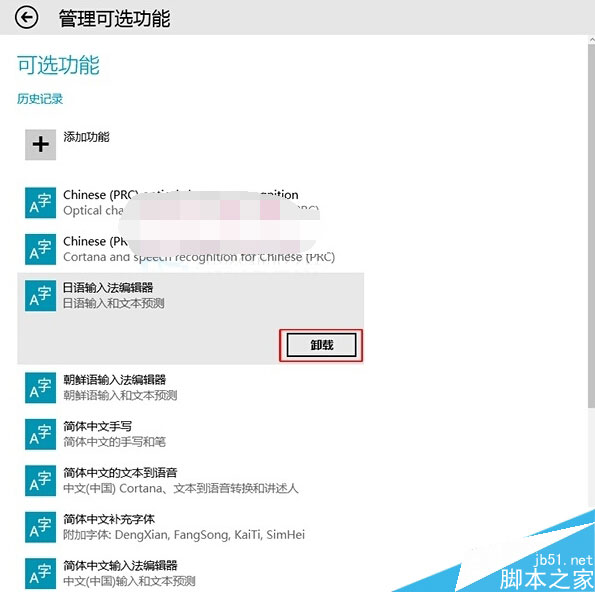
Win10 可選功能管理介面支援卸載不需要的系統組件 (如語言包、字體、舊版控制台工具等),釋放磁碟空間、提升效能。
Win 10 如何刪除檔案屬性中的「未知帳戶」?進階安全性設定停用繼承權限
Win10 將檔案總管釘選到工作列:四種方法任選其一
Windows 10 Continuum 模式啟用方法與功能介紹
Windows 10 取消開始選單固定磚塊:還原傳統 Windows 7 風格選單
Windows 10 應用程式無回應?一鍵重置修復教學
Win10 應用商店/現代化應用閃退?啟用 Windows License Manager Service 徹底解決
微軟 Windows 10 版本發布機制:fbl_release、Winmain、Flight Level 與 Fast/Slow 通道解析
Win10 升級後電腦頻繁當機?7 大解決方案從相容模式到退回舊系統