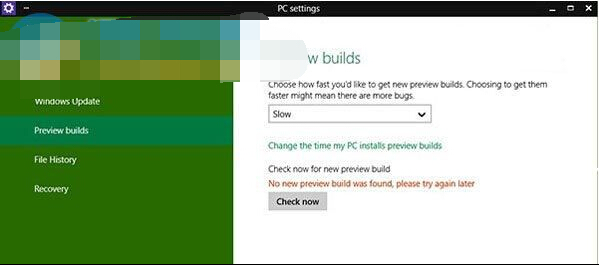
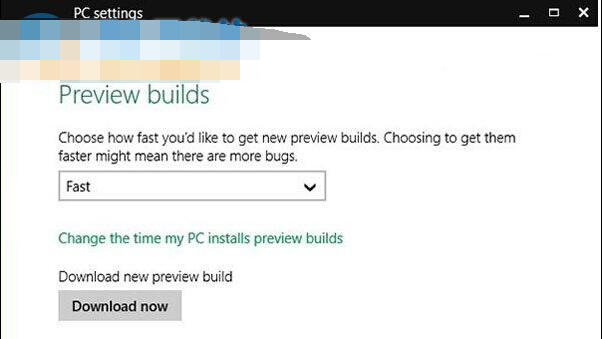
Build 9879 自動更新失敗時,解決方法極簡單:在更新設定中將通道切換至 Fast (快速),點擊「立即檢查更新」即可觸發下載。
此為預覽版特有機制,正式版透過 Windows Update 自動推送無需手動切換通道。
Win10 如何關閉 Windows Defender?群組原則永久停用內建防毒
Win10 裝 QQ 後冒出一堆垃圾軟體?教你徹底清理與預防
Win10 觸控板手勢完整圖解:六大核心手勢解鎖無滑鼠高效操作
Windows 10 關閉任務列搜尋方塊/圖示釋放空間:右鍵選單一鍵切換 (已停用/顯示圖示/顯示方塊)
Win10 Insider 測試版用戶如何升級正式版?兩條路徑:留在測試或回滾 Win7/8.1 再升級
Win10 升級後無法調整螢幕亮度?三大解決方案修復顯示卡驅動問題
Win10 開機音樂不見了?同 22014 解決方案
Win10 如何啟用 Cortana 小娜語音助手?區域語言改「英文(美國)」+ 登入 Microsoft 帳號