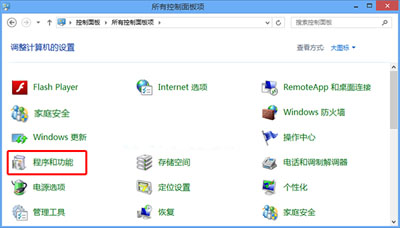
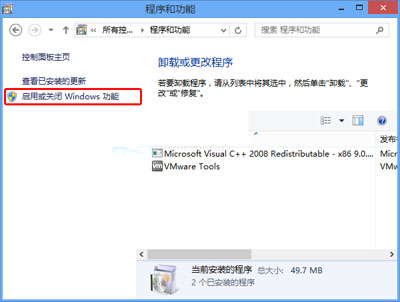
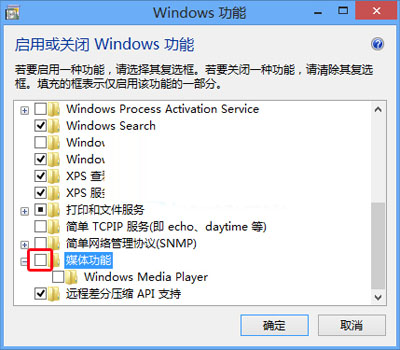
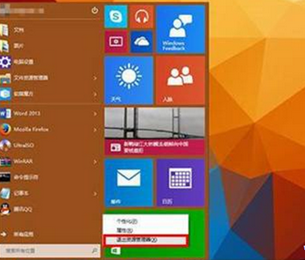
不需 Windows Media Player 可透過「開啟或關閉 Windows 功能」移除,騰出少量資源與減少介面干擾。
注意:移除後無法播放某些舊格式媒體檔案,建議改用 VLC、MPC-BE、PotPlayer 等第三方播放器。
Win10 登入密碼忘記怎麼辦?Microsoft 帳戶線上重設密碼完整教學 (含無安全信箱情況)
Win10 更新 KB3097617 安裝失敗怎麼辦?關閉殺毒軟體或手動離線安裝
Win10 IIS 執行 .NET Framework 4.0 註冊失敗解決方案
Win10 玩 CF 穿越火線:黑邊無法全螢幕 & 煙霧頭調整完整攻略
Win10 應用程式預設安裝位置怎麼改?兩大方法助你釋放 C 槽空間
Windows 10 使用 USB 隨身碟安裝教學(UltraISO 寫入映像)
Win10 禁止新安裝應用彈出「新應用程式」提示註冊表教學
Windows 10 Edge 瀏覽器收藏夾備份與還原完整教學