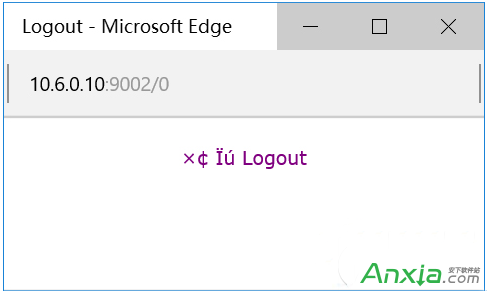
Edge 瀏覽器下載檔案出現亂碼,可透過群組原則設定自訂 User-Agent 字串為 MSIE 9.0 解決相容性問題。
MSIE 9.0
gpedit.msc
此法透過模擬 IE 9 相容模式修正下載檔名編碼問題。
Win10 玩 Dota 2 搜狗輸入法不顯示?雙重設定完美解決
Windows 10 關閉防火牆後持續彈出通知:兩種方法徹底停用安全性警示
Windows 10 新增鍵盤快捷鍵與觸控手勢完整速查表:虛擬桌面、小娜、操作中心、分頁操作
Win10 清理 QQ 快取檔案步驟教學
Windows 10 正式版亮點一次看:跨裝置、小娜、Edge、Hello 全解析
Win10 玩 LoL 藍屏/閃退/卡頓?四大解決方案修復相容性
Win10 系統音量無法調節?註冊表新增 systray.exe 自啟動項修復音量圖示
Windows 10 將小娜搜尋引擎從 Bing 改為 Google(或百度)完整教學