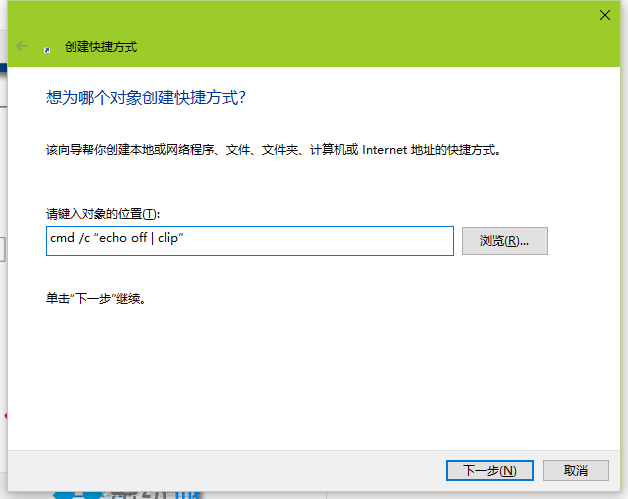
cmd /c "echo off | clip"
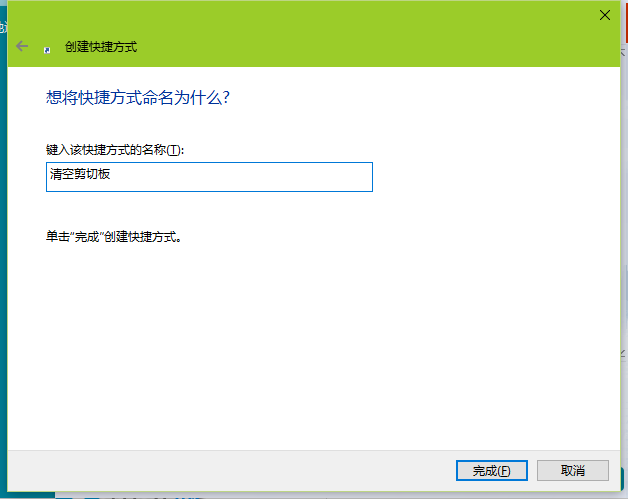
echo off | clip 將空輸出導向剪貼簿,達到清空效果。捷徑方式比手動開啟命令提示字元執行更便捷。
echo off | clip
Win10/Win7/Win8.1 更新錯誤 8024000B 統一修復方法
Windows 10 解除安裝程式四步驟:開始右鍵 → 程式與功能 → 右鍵選擇解除安裝 → 確認
Win10 系統如何自訂工作列縮圖預覽大小?註冊表修改 MinThumbSizePx 數值教學
Win10 系統用過的頭像記錄如何清除?刪除 AccountPictures 資料夾內容圖文教學
如何體驗 Windows 10:虛擬機與多重開機完整教學(VirtualBox 實作)
Win10 桌面底部出現空白列?Ctrl+滑鼠滾輪縮小圖示 + 自動排列解決
收不到 Win10 推播升級?兩大主因與解決方案
Win 10 建立寬帶連線 (PPPoE) 連上網路完整教學