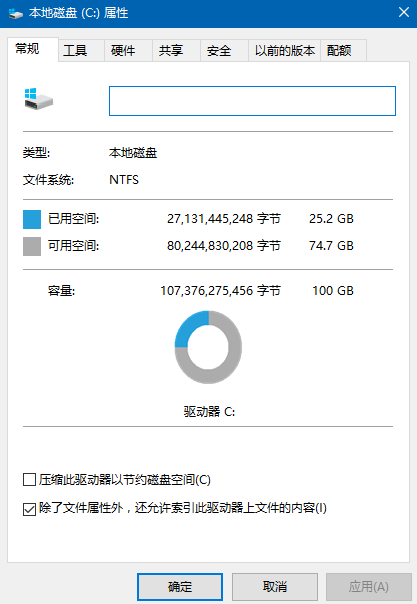
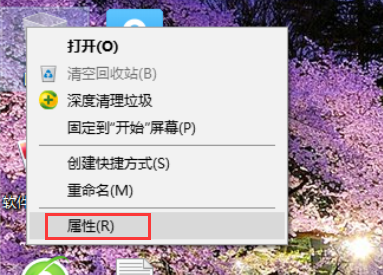
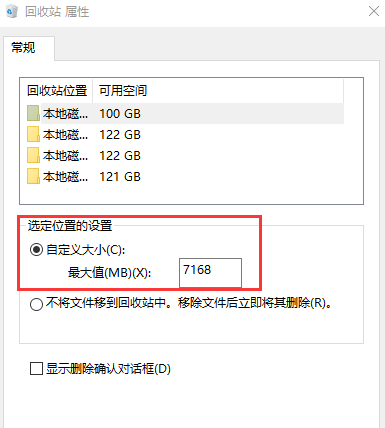
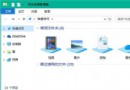
磁碟內容頁面找不到「磁碟清理」按鈕,主因回收站設為「不將檔案移至回收站,直接刪除」:
恢復回收站功能後,「磁碟清理」按鈕即重新出現於磁碟內容頁面。
Windows 10 隱藏空的光碟機/軟碟機圖示:資料夾選項一鍵設定
Win10 開機藍屏 0x000000D1 完整排除指南
Windows 10 安裝失敗常見原因與系統需求檢查
Win10 如何啟用鍵盤輔助按鍵 (Mouse Keys)?滑鼠故障時用數字鍵盤控制滑鼠游標
Windows 10 切換使用者完整教學:鎖定畫面與快速鍵兩大法
Win10 關鍵錯誤:開始選單與 Cortana 無法運作?啟用 User Manager 服務立即修復
Windows 10 郵件與行事曆同步錯誤 0x80c8043e 官方與民間雙解法
Windows 10 必學快捷鍵大全:提升操作效率的完整指南