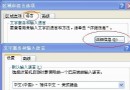
用 PQ 8.0 向導跨分區調整(C: 1GB + D: 500MB → E:),違反「僅能調整相鄰分區」原則。調整後 C/D 縮小正常,但 E: 容量未變且檔案全消失,磁碟掃描修復產生大量 .CHK 碎片檔。
Ghost 救援流程
- 進入 Ghost:
Local → Check → Disk 掃描,發現掃描列表中出現 E: 原有檔案。
- Ghost 備份 E: 成映像檔存 D:。
- 格式化 E:(此時容量正常增大)。
- 用 Ghost Explorer 開啟映像檔,提取檔案回 E:。
- 驗證程式執行正常,資料完整救回。
教訓
- PQ 僅能合併/調整相鄰分區。
- 調整過程**絕不可關機/重開機**,否則資料必失。