Windows XP Windows 7 Windows 2003 Windows Vista Windows 綜合教學 Linux 系統教學
Windows 10 Windows 8 Windows 2008 Windows NT Windows Server 電腦軟體教學
您现在的位置: Windows教程網 >> Windows教程 >  >> 電腦軟體教學 >> 系統工具

巧用 Ghost 擦除硬碟邏輯壞軌:還原映像檔意外修復 3MB 壞軌

編輯:系統工具

小舅子電腦 E: 區邏輯壞軌 8192 bytes,Win98 掃描、NDD 修復皆無效。高階格式化後壞軌反增 3MB+,但實際讀寫無異常。嘗試用 Ghost 還原 C: 映像檔到 E:,結果壞軌歸零,快速格式化後仍為 0,邏輯壞軌徹底修復。

原理推測

Ghost 還原時會先抹除目標分區資料再連續寫入映像內容,相當於低階邏輯重寫,覆蓋了標記為壞軌的扇區,使檔案系統重新建立乾淨的分配表。

操作步驟

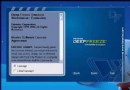
  1. Windows 下執行 Ghost(或 DOS 下均可)。
  2. Local → Partition → From Image 選擇備份映像檔,目標分區選 E:。
  3. 完成後掃描 E:,壞軌消失。

⚠️ 僅適用於邏輯壞軌,物理損壞需專業工具或更換硬碟。

Copyright © Windows教程網 All Rights Reserved