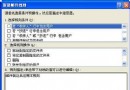
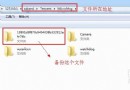
IE 圖標可能被誤取消釘選。恢復方法:
完成後返回「開始」畫面即可看到 IE 磚狀圖標,點擊即可啟動。
微信 5.0 刪除聊天記錄與置頂會話:左滑/右滑手勢操作
.torrent 種子檔案怎麼打開?重命名補全副檔名/顯示副檔名/關聯下載工具三步走
Flash Saving Plugin:瀏覽器輕鬆下載、管理、播放 Flash 動畫
knbcenter.exe 是什麼?獵豹瀏覽器核心服務進程詳解
MSN 無法登入 24 步驟終極排查清單
MSN Messenger 超實用技巧(三):多帳號同時登入、隱身發訊息、自訂提醒訊息、啟用傳檔病毒掃描
2014 微信女生網名大全:可愛、唯美、深情風格 200+ 精選推薦
微信聲波加好友教學:面對面一鍵建立連線