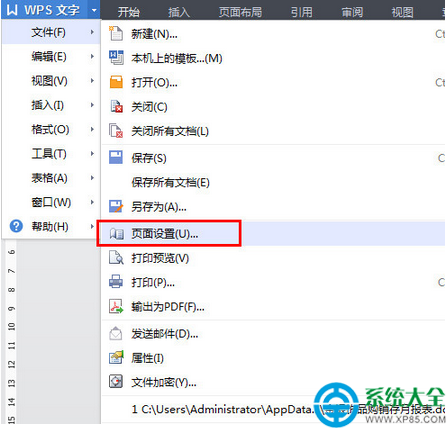
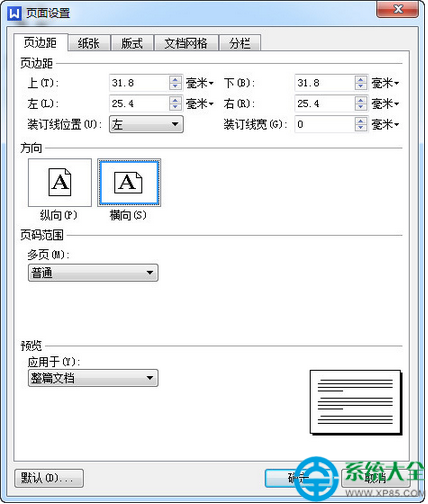
WPS 處理文檔打印時需縱向輸出,只需在頁面設置中修改方向即可。
WPS Office 官方最新版下載:https://www.xp85.com/html/wpsofficegfzxb.html
快壓設置壓縮為 RAR 格式:右鍵創建壓縮文件→選 RAR→需下載插件
愛剪輯視頻存哪了?教你快速找回專案與成品資料夾
《喪屍圍城1》全成就/成就解鎖條件完整匯總:殺僵屍/救倖存者/拍照/特技/生存/結局等 50+ 項目
支付寶校園日記怎麼打賞?圖文教學支援自訂金額
《俠客風雲傳》邪派聲望速刷技巧:前期行善、後期溢出,正派反之
Git 新手兩分鐘入門:個人項目版本控制極簡指南
瀏覽器審查元素快速提取圖片技巧:放大鏡定位 + 新標籤頁打開原圖
釘釘開啟入群驗證教程:防陌生人隨意進群、守護群聊純淨