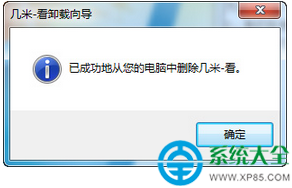
不想用幾米看圖了?提供三種卸載方式,總有一款適合你。
軟體管理 → 卸載軟體 → 選中幾米看圖 → 卸載。
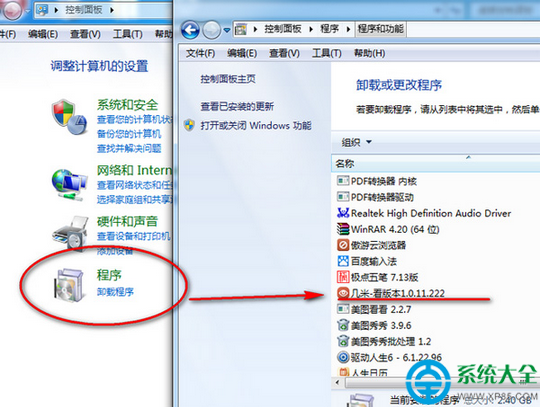
開始菜單 → 控制面板 → 卸載程式 → 選擇「幾米-看」 → 右鍵卸載。
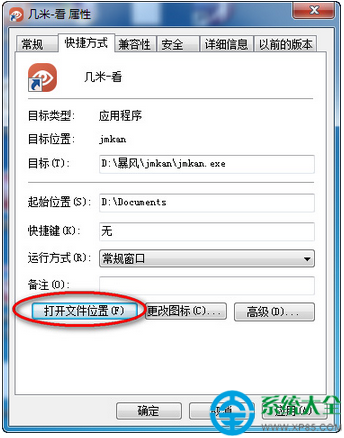
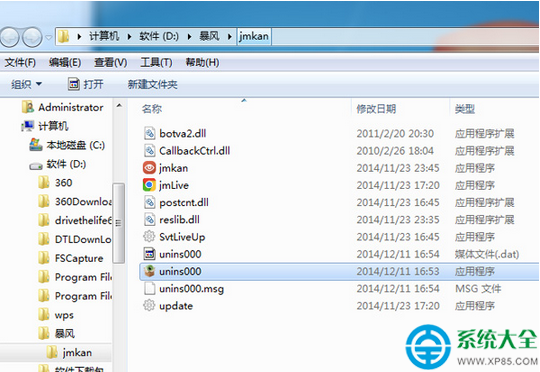
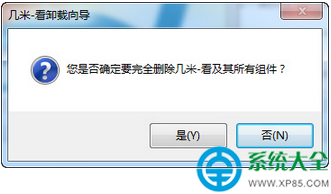
unins000.exe
幾米看圖官方最新版下載:https://www.xp85.com/html/JMKTGFZXB.html
霧霾天拍出灰暗照片怎麼辦?美圖秀秀「去霧」功能一鍵還原藍天白雲
WPS 表格輕松統一日期格式:自定義格式 + 查找替換雙管齊下
火影忍者OL雷主忍者考試135層通關陣容與手法詳解
CF 爆破闖關「年輕就是幹」:邀請好友抽獎池,4 位以上好友直送軍用手斧-翔龍+玫瑰手雷
文件保護精靈使用教程:密碼保護隱私文件、防止數據泄露
Win10玩《暗黑破壞神3》黑屏解決方法 更新顯卡驅動開啟垂直同步
pdfFactory 虛擬印表機自動產生 PDF 書籤:長文件目錄一鍵生成,免手動編輯
騰訊電腦管家登入元件錯誤 4 怎麼解?四種修復方案一次看