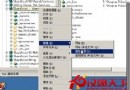
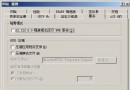
memcached-1.2.1-win32.zip(或較新版),解壓至 C:\memcached。cd C:\memcachedmemcached.exe -d installmemcached.exe -d startmemcached 狀態為「正在執行」;或 tasklist | findstr memcached。pecl-5.2.6-Win32.zip(含 php_memcache.dll)。php_memcache.dll 複製至 PHP ext 目錄(如 D:\php5\ext)。; 在 extension 區塊下新增 extension=php_memcache.dll
儲存後重啟 IIS(iisreset)。
phpinfo() 頁面,搜尋 memcache 區塊出現即成功。<?php
$mem = new Memcache;
$mem->connect("127.0.0.1", 11211);
$mem->set('key', 'This is a test!', 0, 60);
$val = $mem->get('key');
echo $val; // 輸出 "This is a test!" 表示環境正常
?>
| 參數 | 說明 |
|---|---|
-p | 監聽埠(預設 11211) |
-l | 綁定 IP(預設 127.0.0.1) |
-m | 最大記憶體 MB(預設 64) |
-c | 最大同時連線(預設 1024) |
-d start|restart|stop|install|uninstall | 服務控制 |
-u | 執行身分(僅 root 有效) |
-f | 區塊增長因子(預設 1.25) |
-n | 最小分配空間 bytes(預設 48) |
-m 1024 等)。stats 指標(hit rate、evictions、memory usage),適時擴容或調整 -f、-n。