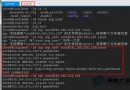
Linux 終端突然從友善的彩色提示符(如 user@host ~ $)退化為單調的 -bash-2.05b$,且失去 ls 色彩高亮、命令補全等功能,通常是因為用戶家目錄下的 Shell 初始化腳本(.bashrc、.bash_profile)遺失或損壞,或系統級 /etc/bashrc 異常。本文提供標準化修復腳本與驗證步驟。
| 狀態 | 提示符樣貌 | 功能特徵 |
|---|---|---|
| 正常 | onejet20080605 (root) ~ $ | 顯示用戶@主機、當前目錄、彩色、Tab 補全 |
| 異常 | -bash-2.05b$ | 無用戶/主機/路徑資訊、無色彩、補全失效 |
/root/.bashrccat > /root/.bashrc << 'EOF'
# .bashrc
# User specific aliases and functions
# Source global definitions
if [ -f /etc/bashrc ]; then
. /etc/bashrc
fi
EOF/root/.bash_profilecat > /root/.bash_profile << 'EOF'
# .bash_profile
# Get the aliases and functions
if [ -f ~/.bashrc ]; then
. ~/.bashrc
fi
# User specific environment and startup programs
export BASH_ENV=$HOME/.bashrc
EOF/etc/bashrccat > /etc/bashrc << 'EOF'
# /etc/bashrc
# System wide functions and aliases
# Environment stuff goes in /etc/profile
# Uncomment if you liked the old colourfull prompt
# PS1='\[\033[1;33m\]\u\[\033[1;37m\]@\[\033[1;32m\]\h\[\033[1;31m\]\w\[\033[1;36m\]\$ \[\033[0m\]'
PS1='\[\033[0;34m\]\h (\[\033[0;31m\]\u\[\033[0;34m\]) \[\033[0;32m\]\w $ \[\033[0m\]'
VIM="/usr/share/vim"
alias ls='ls --color=tty -F -b -T 0'
EOF關鍵點解析:
PS1 定義提示符格式,上例啟用藍/紅/綠三色顯示「主機 (用戶) 路徑 $」alias ls='ls --color=tty ...' 恢復 ls 自動著色. /etc/bashrc 在 .bashrc 中引入系統級別名與提示符設定# 重新載入配置(或重新開啟終端)
source /root/.bash_profile
# 檢查提示符是否恢復彩色
# 檢查 ls 輸出是否著色
ls /

若上述步驟無效,依序檢查:
/etc/profile - 登入 Shell 讀取的系統級環境變量/etc/profile.d/*.sh - 模組化配置片段/etc/passwd - 確認用戶 Shell 欄位為 /bin/bash 而非 /bin/sh/etc/hosts - 主機名解析異常可能影響提示符顯示~/.bash_logout - 登出腳本異常可能殘留環境變量/etc/bashrc、/etc/profile、用戶級 dotfiles 納入 Git 管理/etc/skel/.bashrc、/.bash_profile 為標準模板,useradd -m 自動複製chattr +i 防止誤刪(需謹慎使用)通過標準化重建三大核心初始化檔案,99% 的 -bash-2.05b$ 退化問題可在分鐘級解決,快速恢復高效的彩色終端工作環境。